I took a period of brake from CIU due to burnout, lack of interest and other real life problems, but now I have more time, less problems and interested again in CIU again. So during the last three months I’ve been building up a a collection of suggestions and ideas that could possibly improve the game in one way or another, so I wanted to share them with you.
Screens Redesigns
Main Screen Redesign 2.0
I already proposed a redesign of the main screen some months ago, however, I came up with a new design that I think could be much better than the previous one:
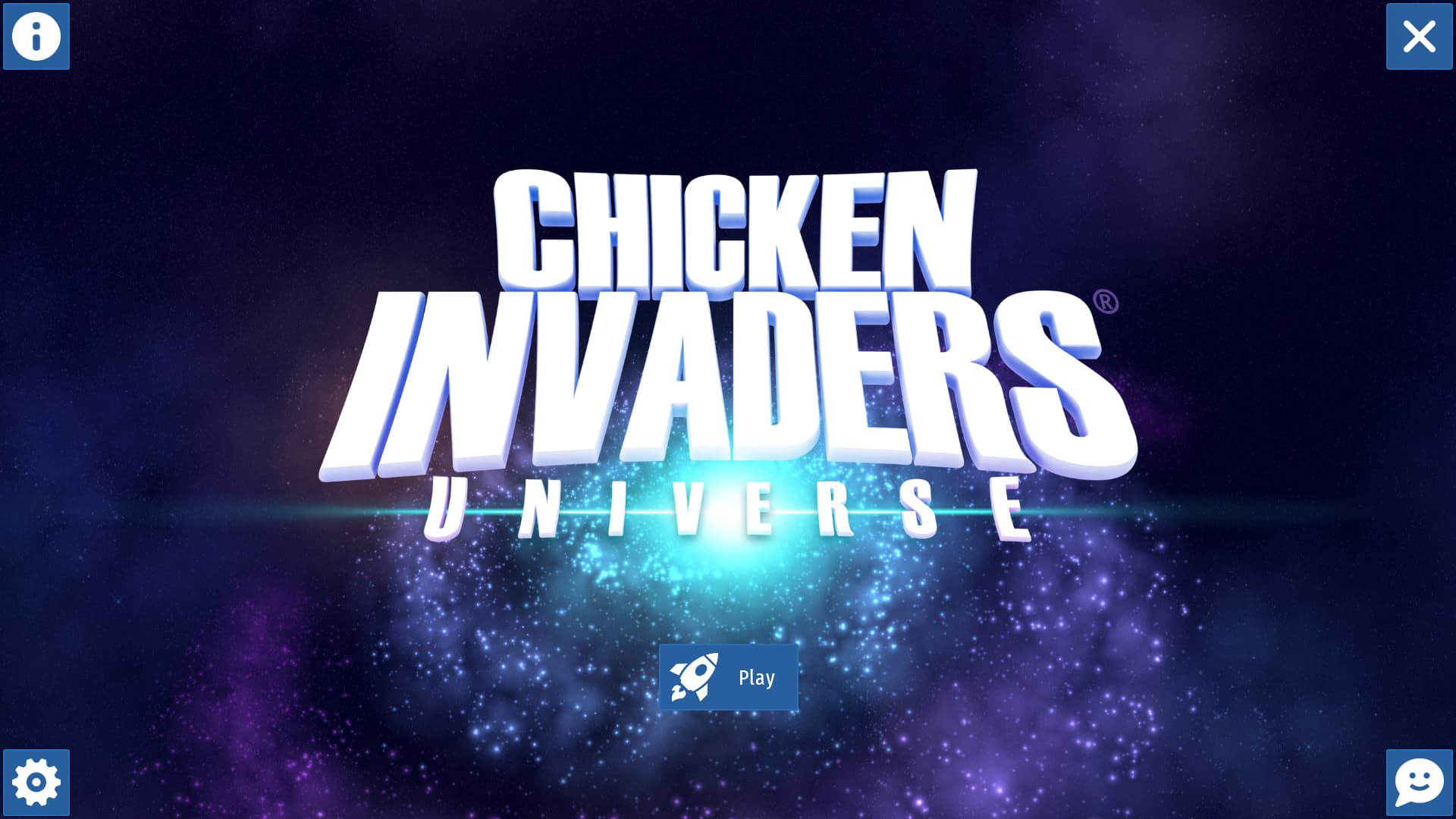
Ok ok. I know at first glace you would think “WTF is this sh…”, but let me explain. I’ve took a look at other mobile games’ main screen, and noticed there are quite a lot of elements in common, and that’s precisely what inspired me to make this other redisgn of the CIU main screen.
Before showing some exemples I just quickly want to do a brief summury of the layout:
- Play button at the center (under the title)
- Options button at the bottom left corner
- Info button at the upper left corner
- Exit button at the upper right corner
- Socials button at the bottom right corner
So let’s see some exemples of other mobile games’ main screen before explaining this layout in deteils:
Mobile Games Main Screens
Zombie Catchers
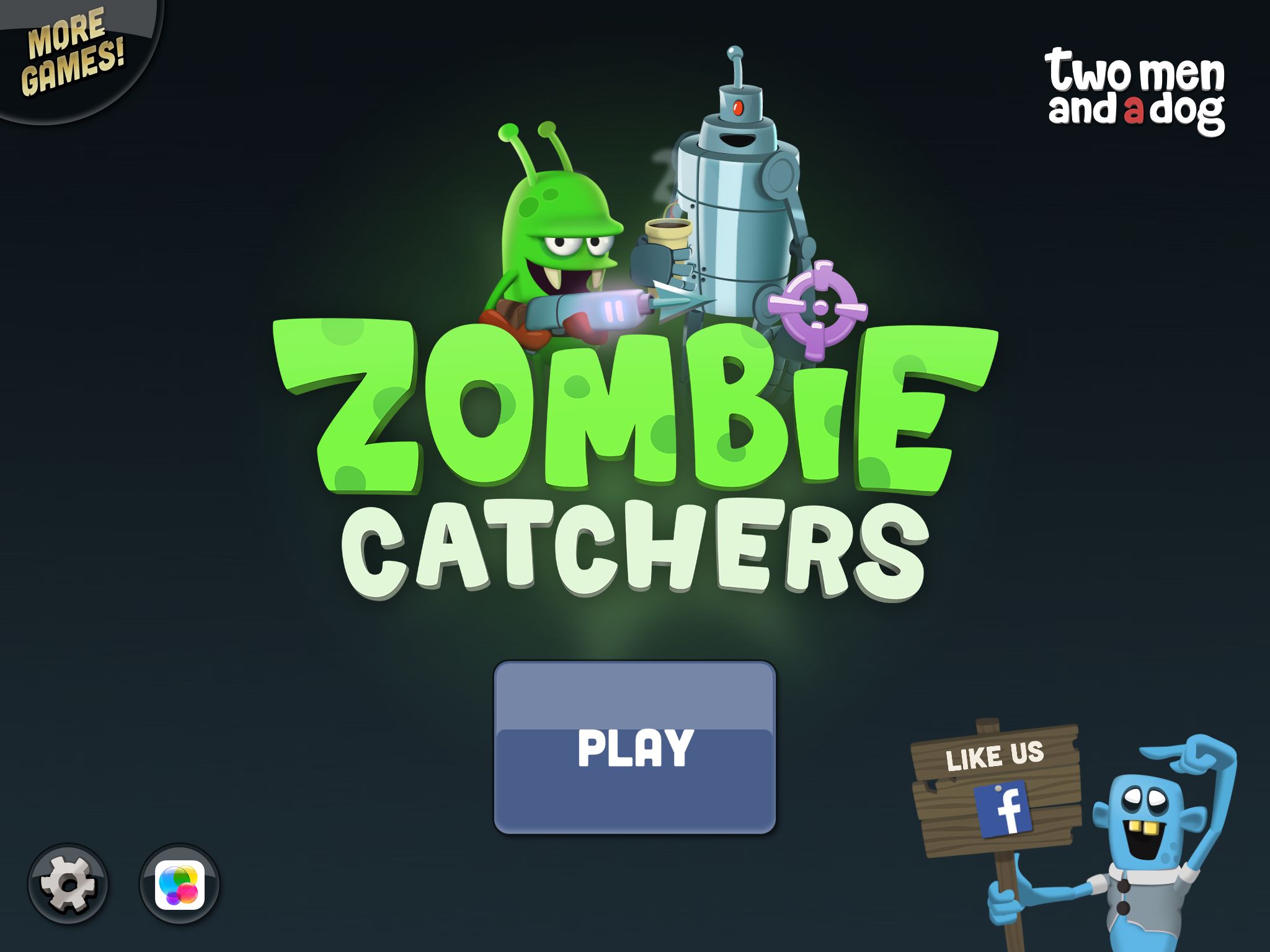
First one on this list of exemples is the Zombie Catchers main screen. Notice some similarities?
- Play button at the center (under the title)
- Options button at the bottom left corner
- More games button at the upper left corner
- Socials button at the bottom right corner
Tigerball
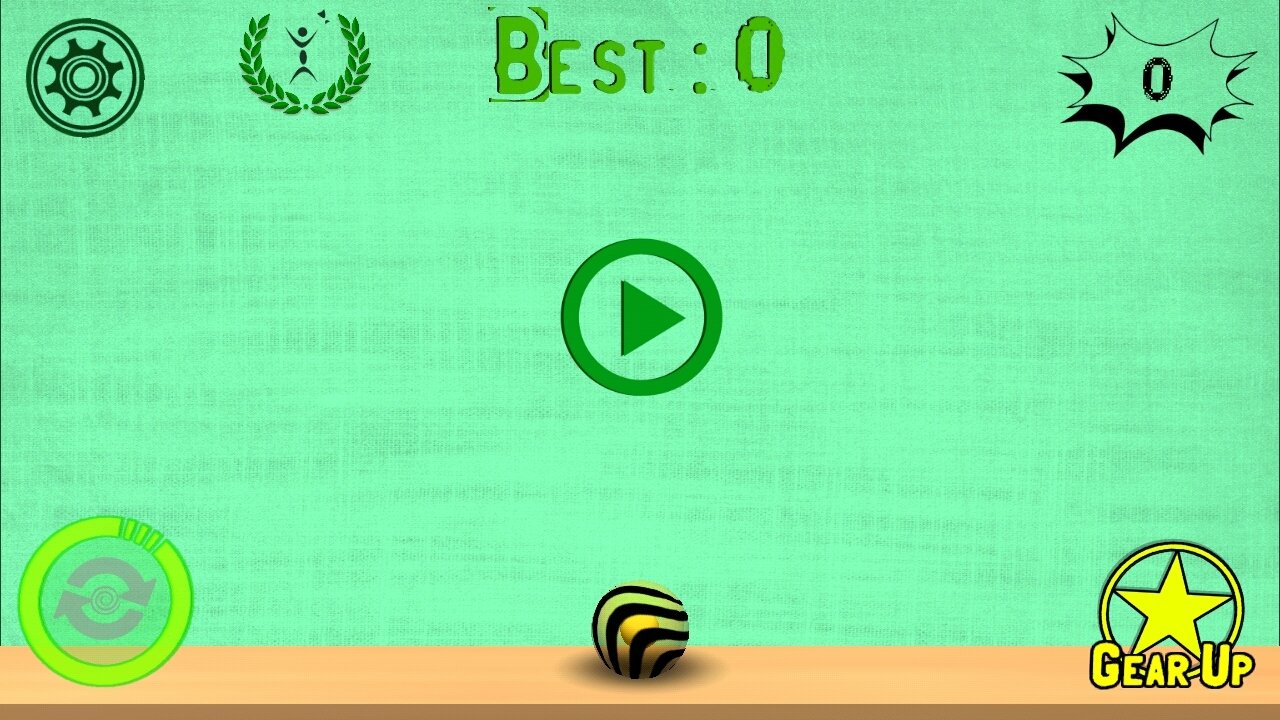
Next we have the Tigerball main screen. This one’s a bit different but still retains some elements, like:
- Play button at the center
- Options button at the upper left corner
Angry Birds
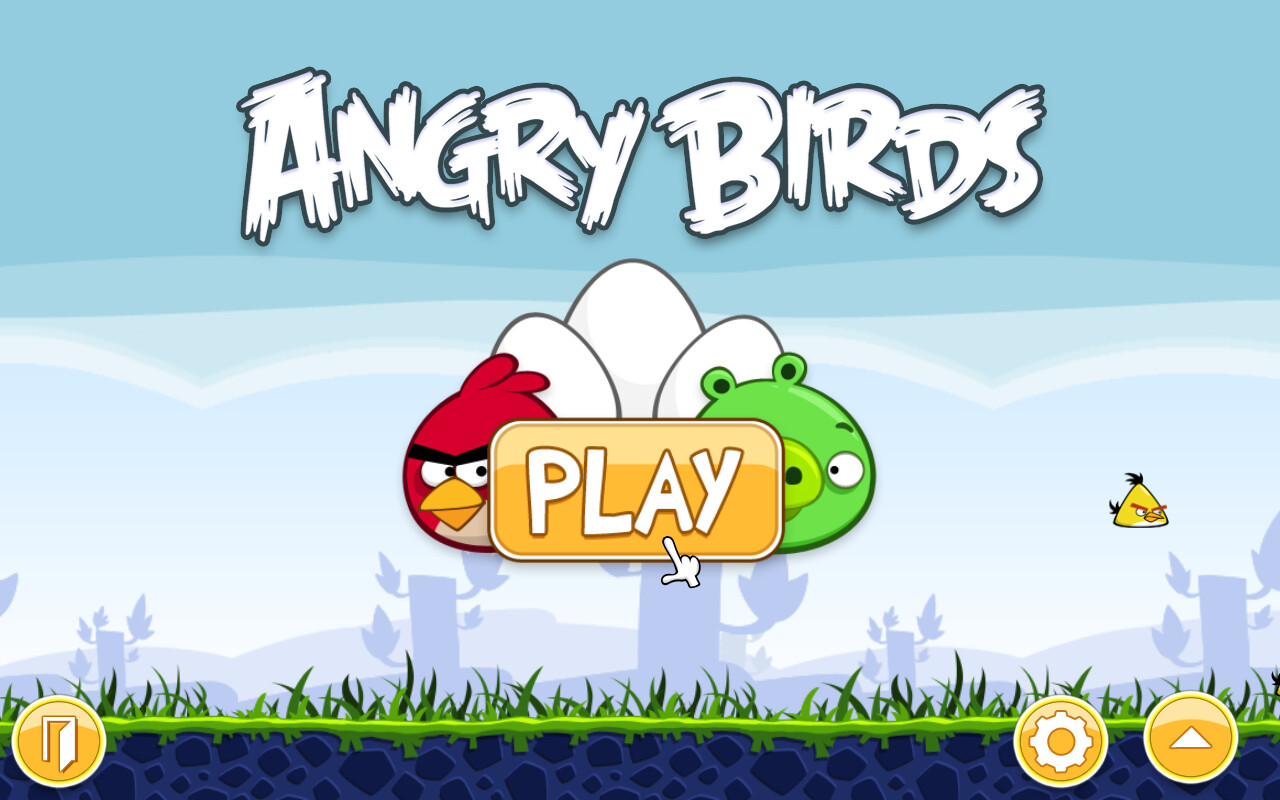
The Angry Birds main screen has seen several redesigns over the years, but the core elements are still layed out in the same way, mainly at the corners or usually in the bottom part. In this case we have:
- Play button at the center (under the title)
- Options button at the bottom right corner (near the other options button)
- Other options button at the bottom right corner (it shows more stuff like info and socials)
- Exit button at the bottom left corner
Here’s another exemple with the sub menus opened:
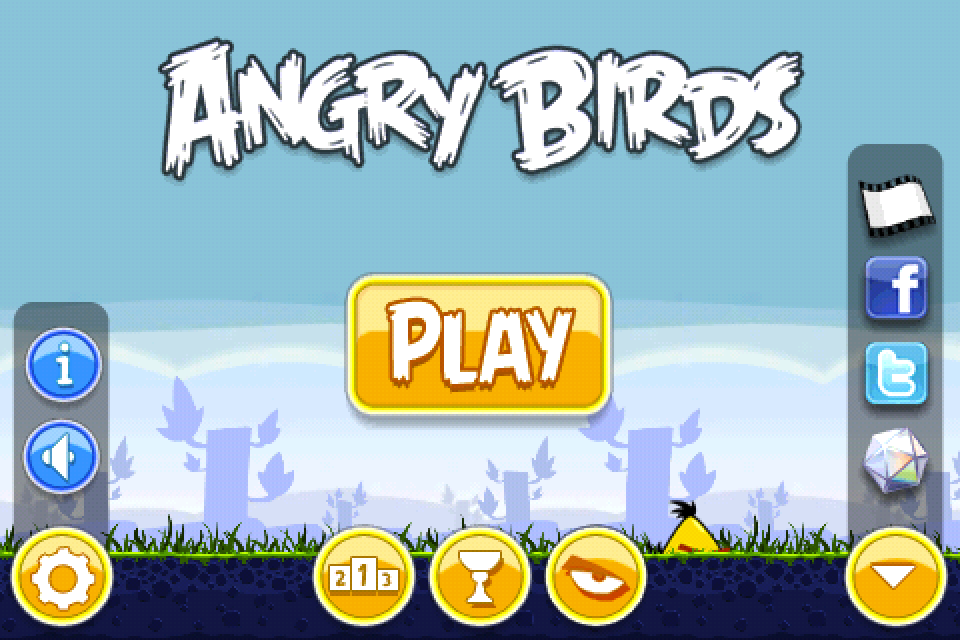
This one shows that the legal stuff and other game information are kept behind an info button inside the option button. The other button on the bottom right corner includes the socials, and it’s a cleaner way to include them without showing them directly in your face like in CIU. That said though, I know a lot of modern games have the socials buttons directly in the main menu, but as you can guess I think they make the screen too cluttered, and CIU is no exemption, but that’s just my opinion.
Geometry Dash
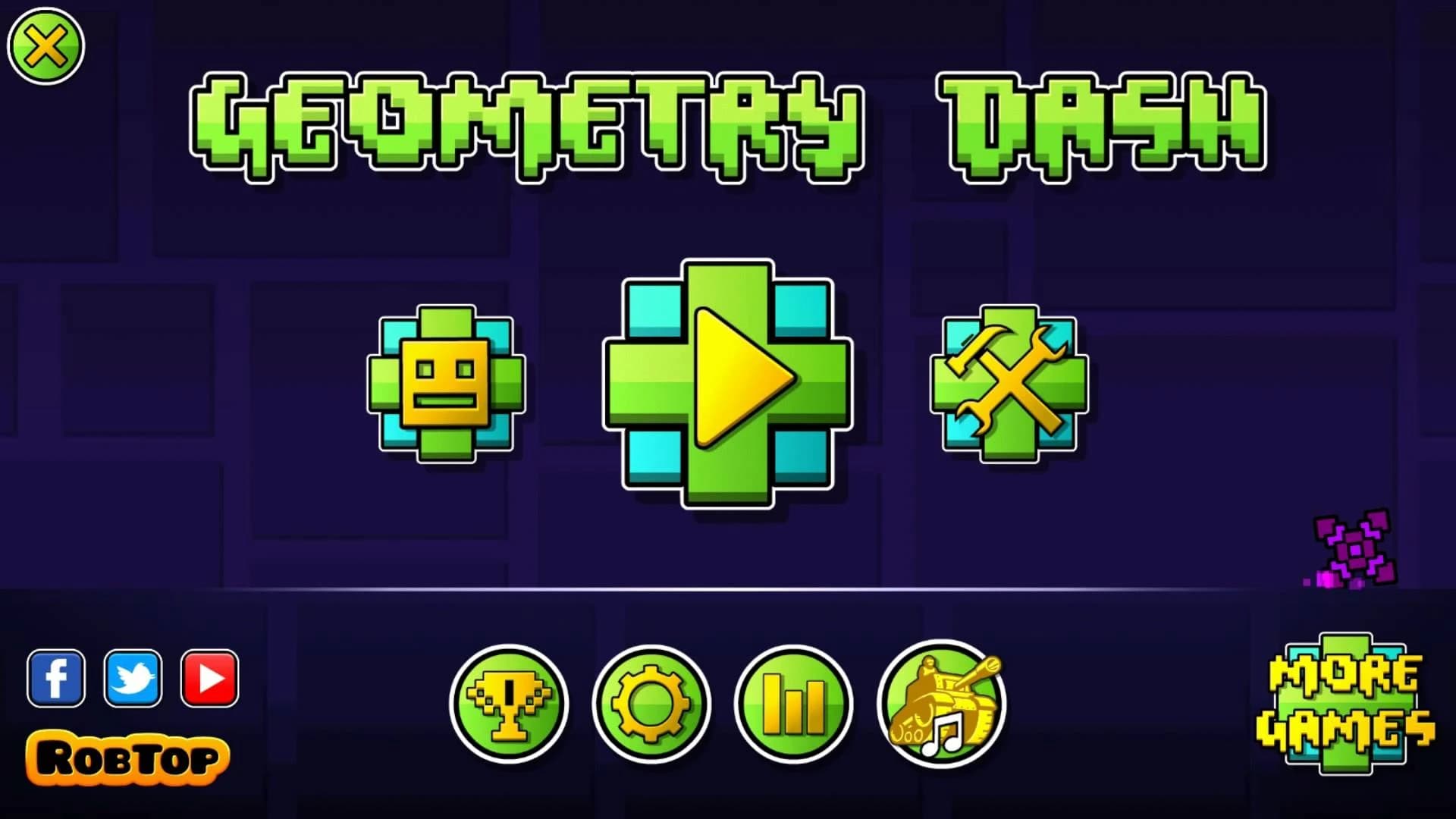
Last but not least we have the Geomtry Dash main screen, which is probably the most interesting case. Let’s start with the elements in common to my CIU main screen redesign:
- Play button at the center (under the title)
- Options button at the bottom left center
- More games button at the bottom right corner
- Exit button at the upper left corner
- Socials buttons at the bottom left corner
I think you got the point now: all these mobile games’ main screens have a lot of similar elements, mainly the play button, which is always at the perfect center, an options button, which is just the gear icon and layed out somewhere around the frame of the main screen, an exit button always in a corner, a place for the socials buttons, either showed up directly or hidden behind a dedicated button, and some times a more games button.
Summary
The point of this second CIU main screen redesing and the exemples of other mobile games’ main screens are NOT that I want this redesign to be implemented exactly as it is, but rather, this was a big overview of general mobile games main screen layout. I do belive that there is still room for improvement for the CIU main screen, and this redesign and exemples were just to give an idea of a better way to layout every element.
Now let’s go back to the current CIU main screen and see what I mean:
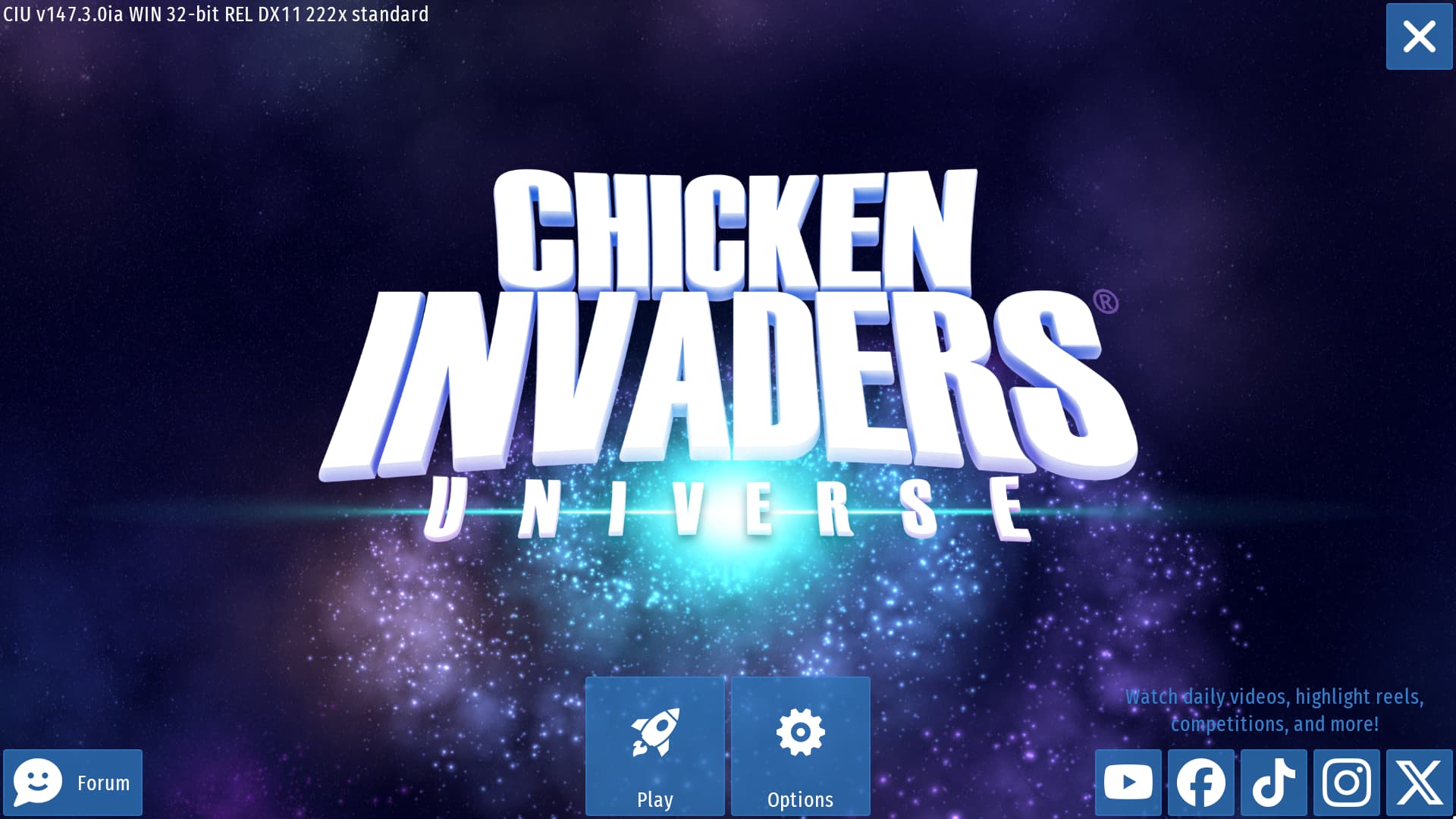
Compared to the other games I listed, there are quite a few elements that don’t really fit in my opinion:
-
First: what’s the point of keeping the option button as big as the play button if those two are the only two big buttons remained after the other buttons on the bottom center have been moved inside the option tab? It just makes lose focus on the play button, which as we saw in the other games listed, is always at the perfect center and under the title, because it’s the most important button, since, you know: it makes you PLAY the game named in the title. The option buttom is just a secondary thing, and should always be placed at the corner to not get this much focus.
-
Second: the socials buttons could be fine as they’re, but you really have to ask yourself: is it really necessary to keep the forum button? None of the other games listed above have a button for theyr forum, weather they have it or not. The socials? Yes, but the forum? No. Not only it is redandent but it also has a different size than all the other buttons. I just find it too out of place and I think it may as well be removed entierly and instead just put the options button at it’s place (with just the gear icon), like in my redesign.
-
Third: At the same way, I find it unnecessary to have the game version so right in your face. Again, is something no other games have, and while I do get people have gotten used to it, I say that is never too late to change it.
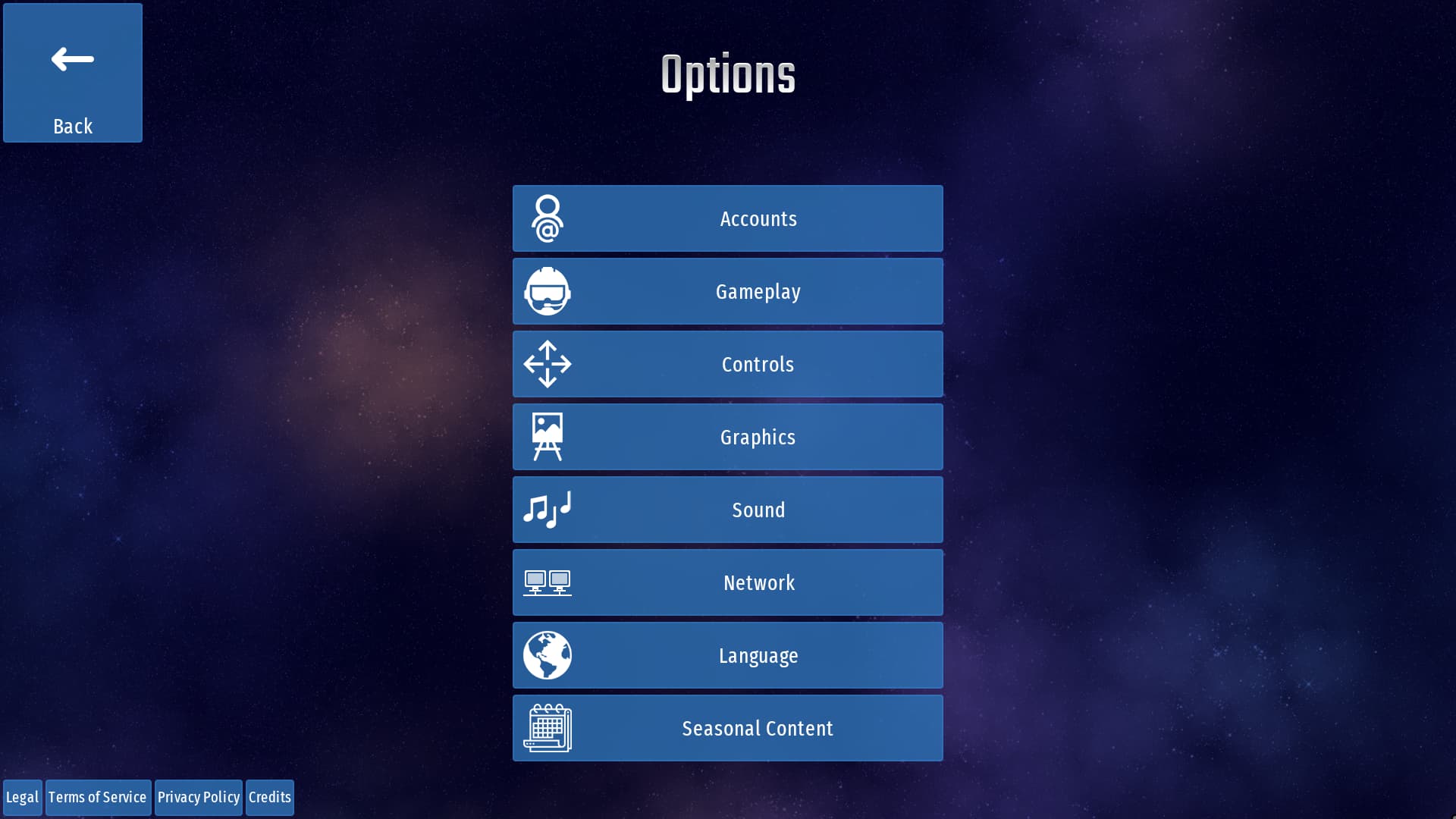
- Fourth: speaking of out of place, I think nothing looks more out of place than the legal buttons in the options tab. Considering other languages have longer text, with the addition of one more button in the mobile version, they even go under the other buttons at the center, which ok, they fit fine, but they still look too out of place to me. Why not just make a proper button in the option tab named “Legal”, that has the same length as of the other ones at the center, and put all those buttons inside of it, and beeing displayed with a vertical design like this one instead of being layed out horizontally? That’s just a suggestion, but I have another one for later.
Now let’s see my main screen redesign again:
Now that we’ve enstablished the layout, let’s go into more deteils:
-
As I stated before, the forum button has been removed or it could be included in the socials tab, along the other socials buttons (which is located in the bottom right corner). The options button takes the position of the forum button and it only shows the gear icon. Thus leaving the play button at the exact center (and under the title), as it should be.
-
The info button (located at the upper left corner) could contain all the legal buttons plus the credits button and a new button called “Version”. which, as you can guess, shows the version of the game there. It’s important to note that while all the buttons mentioned could also be placed inside the options tab, they’re not exactly “options” but rather “information” or “info”, so having a dedicated tab just for them would be much more fitting in my opinion.
-
Lastly there is the socials button, which I’ve already explained, and the exit button, which remains unchanged.
You could argue that the menu looks a bit too minimal this way, especially the play button, which is a bit too small. So if you still prefer the big old play button, I made other two redesigns just for that:
Big old play button at the center
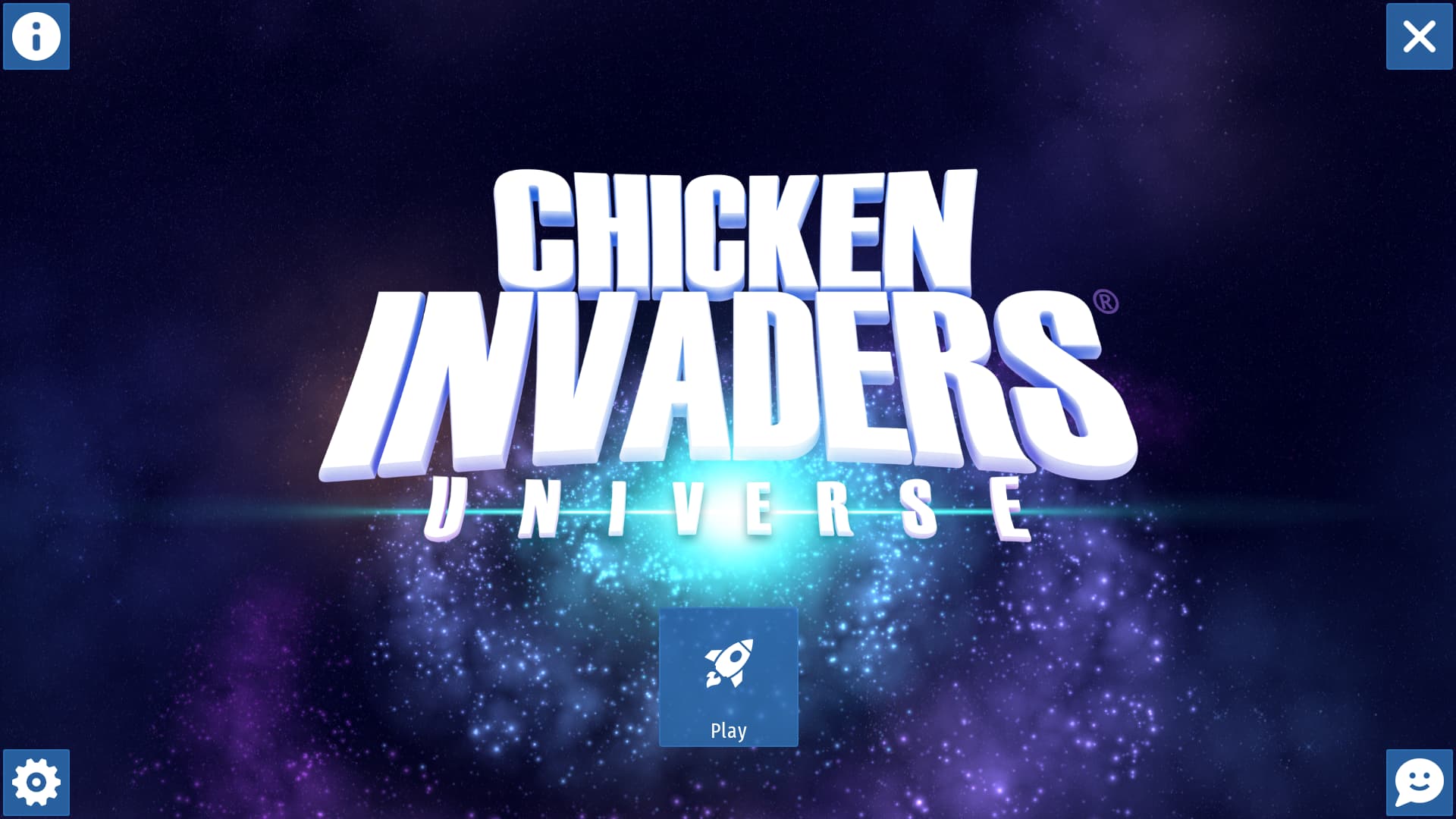
Big old play button at the bottom center
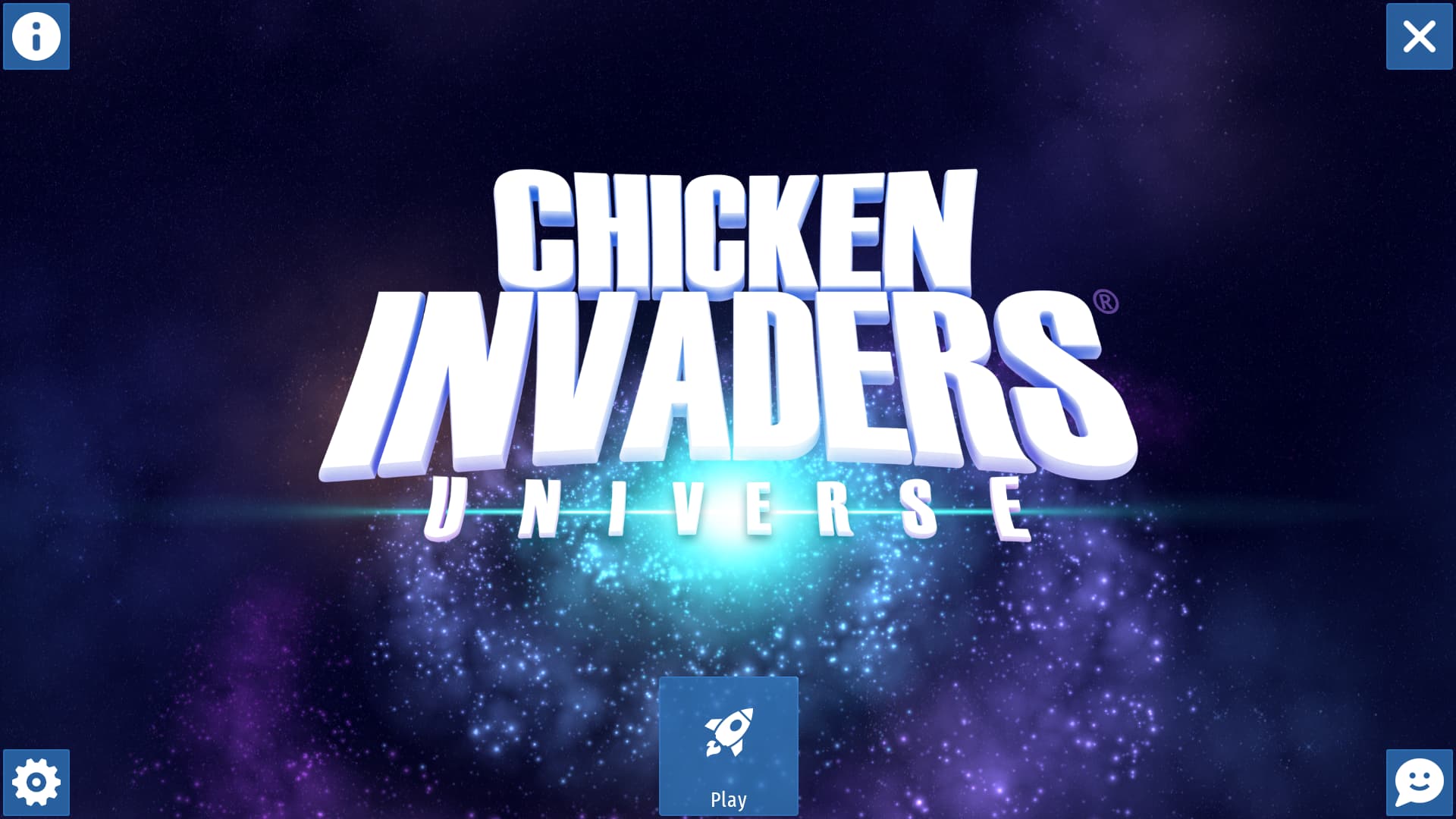
Again, I’m not saying that should be exactly 1 to 1 to these; they’re just exemples of how it could be layed out.
If you still think that it looks too minimal then I also have an alternative design with a bit more stuff:
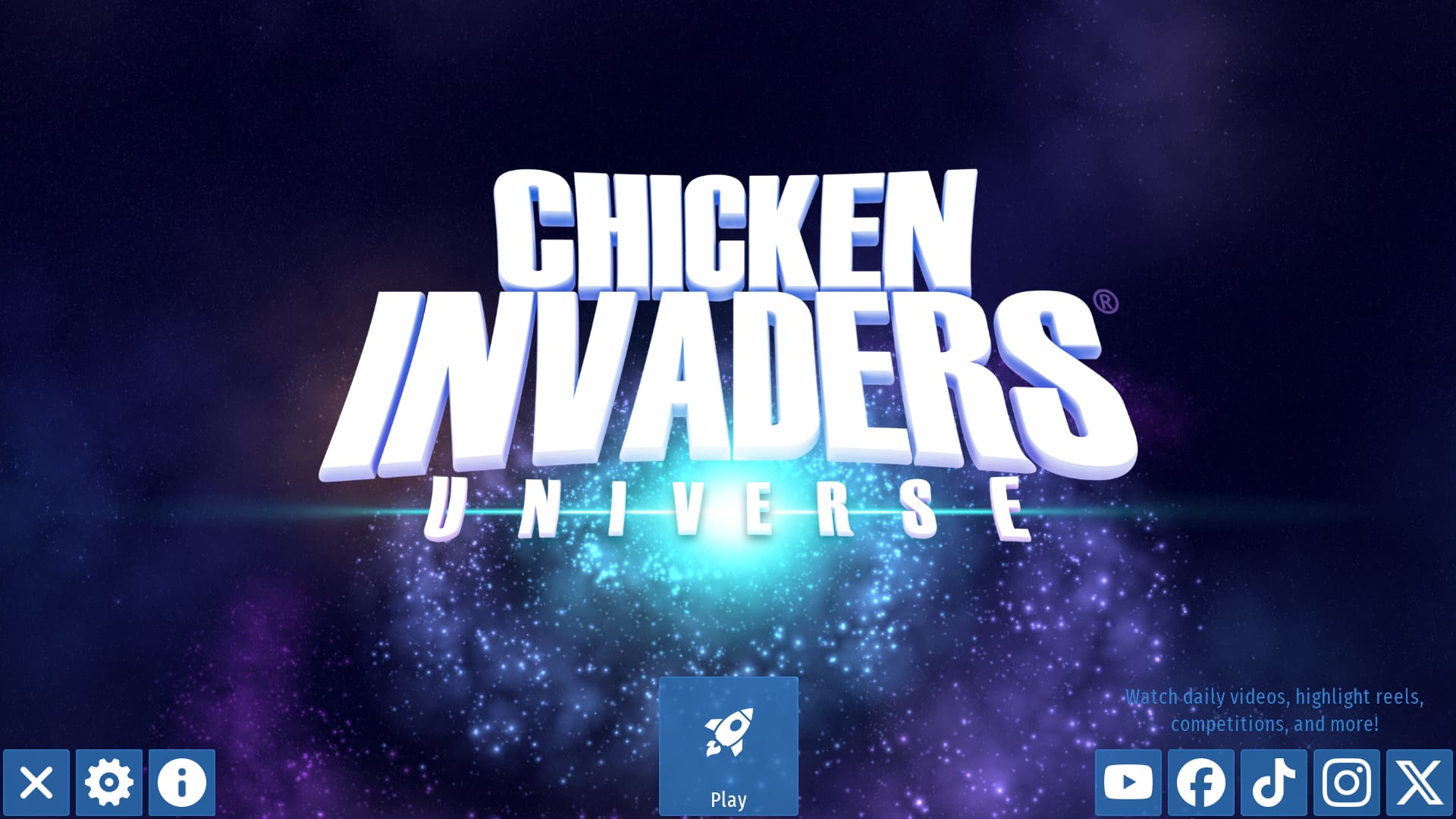
This one retains the socials buttons as they currently are, and move all the other buttons of the corners in the bottom left corner, to kinda make them equal to the socials buttons, plus the big old play button at the bottom center.
Ultimately it all comes down to preferences, but the options are there. I gave more than enough tips on how it could be done.
Resoult Screen Redesign
Another screen I’ve always found kinda off was the resoult screen. I especially don’t like how the elite trophy frame is left on a new row alone, and the fact you have to scroll just a little bit to view a row and half:
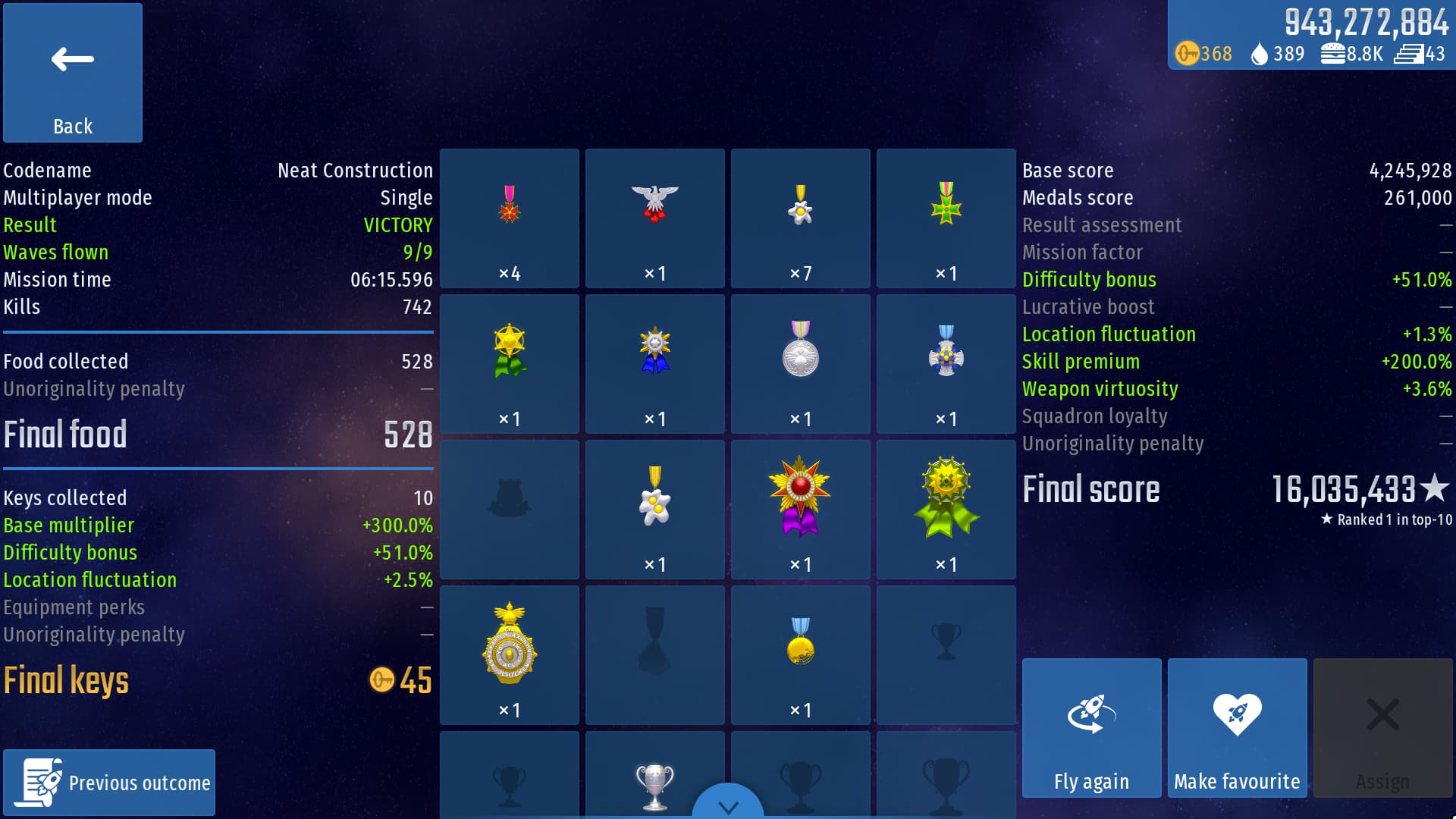
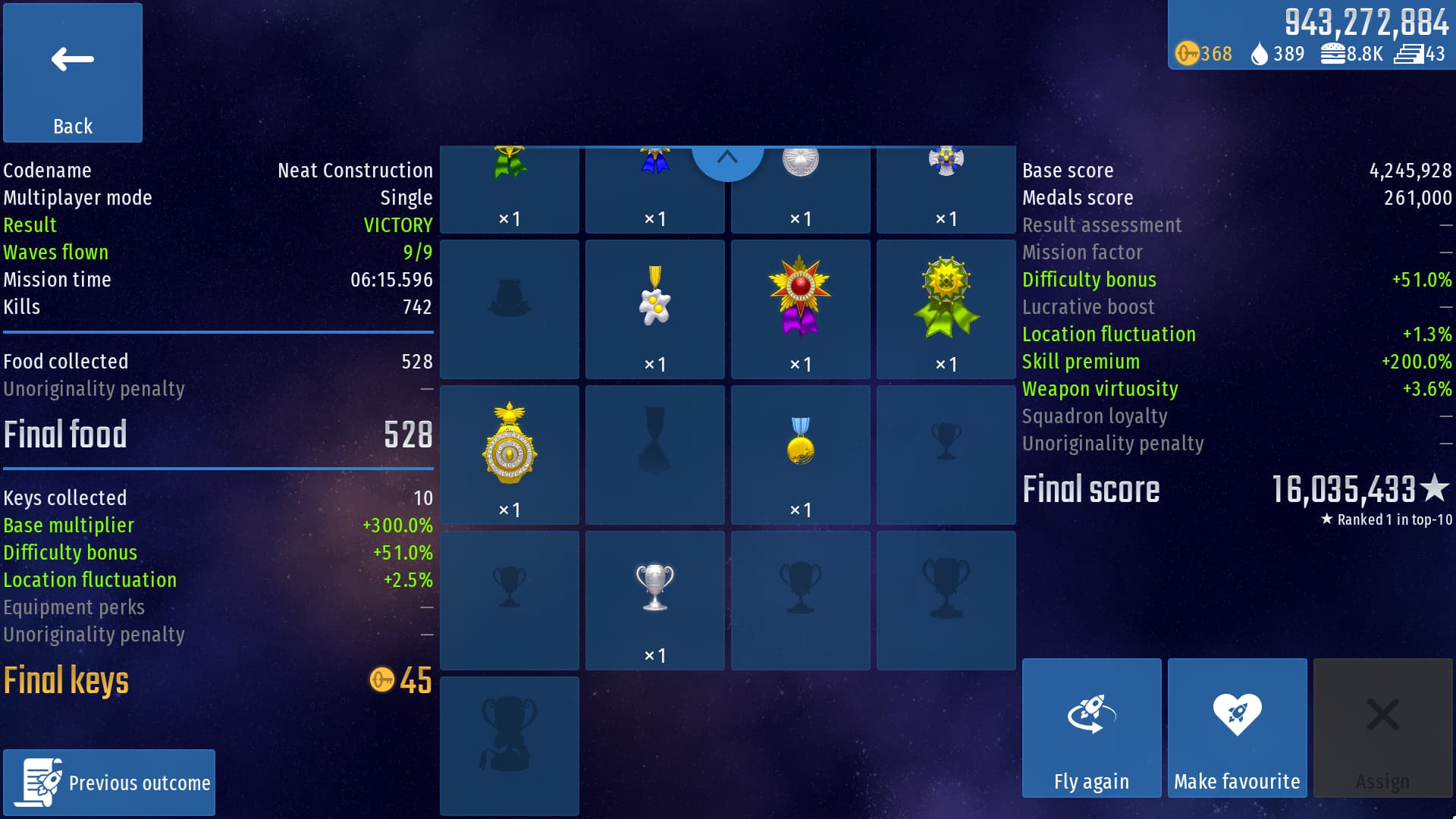
So what if there was a way to make it so that it shows all the medals on the same screen, by keeping all the current frames and text sizes and with better frames distribution? Well… turns out that is not possible, but I can still say that I tried. Here’s my attempt at the resoult screen redesign:

I basically thought that if the frames were distributed horizontally instead of vertically. then they could’ve fitted all in one screen without the need to scroll, kinda like the CI5 resoult screen at the end of each chapter. That could have worked if it wasn’t for that damn elite trophy. Other than that I see how people would not like this design, even if it gets rid of the lines between the stats sections.
By doing some qiuck math, there are 21 frames in total; 15 medals and 6 trophies. So if you want to make the frames even you could either keep the current design and just change the collums from 4 to 3, so that they’ve 7 rows that are even and there is even more to scroll down for, or just place them randomly with different sizes in the same space, like in all the episodes and the medals tab.
The horizontal design could be liked or not, but regardless it was just an attempt on my part, so don’t take it seriously by any means.
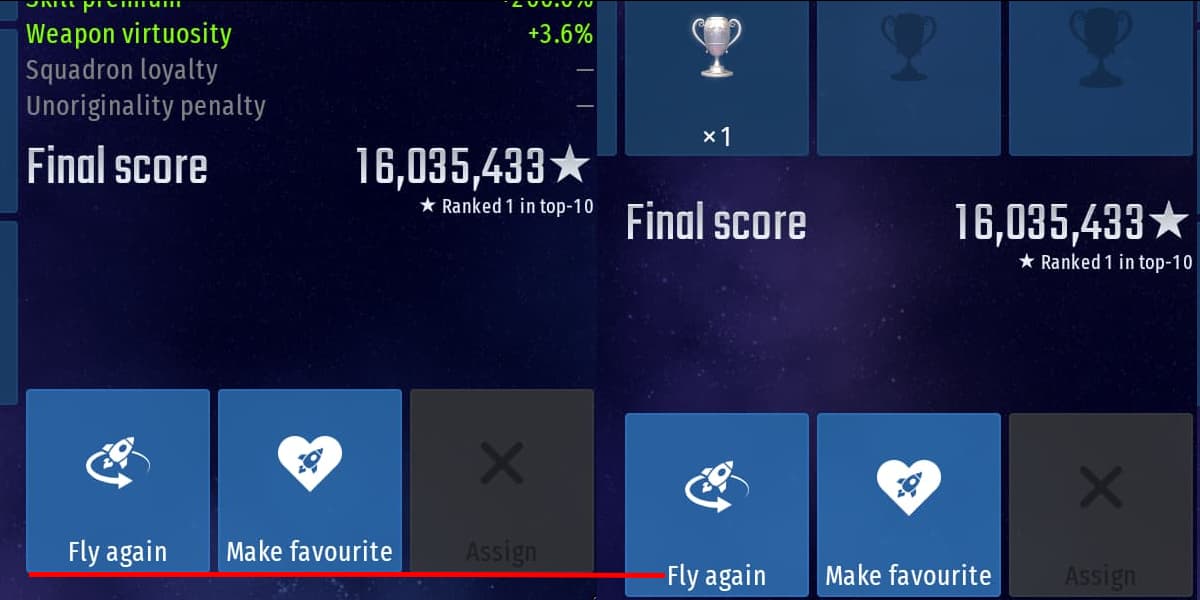
(Also don’t know if you noticed but the buttons on the bottom right corner of the resoult screen are slightly more above the bottom part of the screen, unlike any other button of this kind in the game. Not sure if that was intentional or not, but erither way, I’m pointing it out).
Summer Edition Color Change
I find the main color for the summer edition really odd to be honest. All the other editions are perfectly on point with theyr main color, but the summer edition is just odd to me.
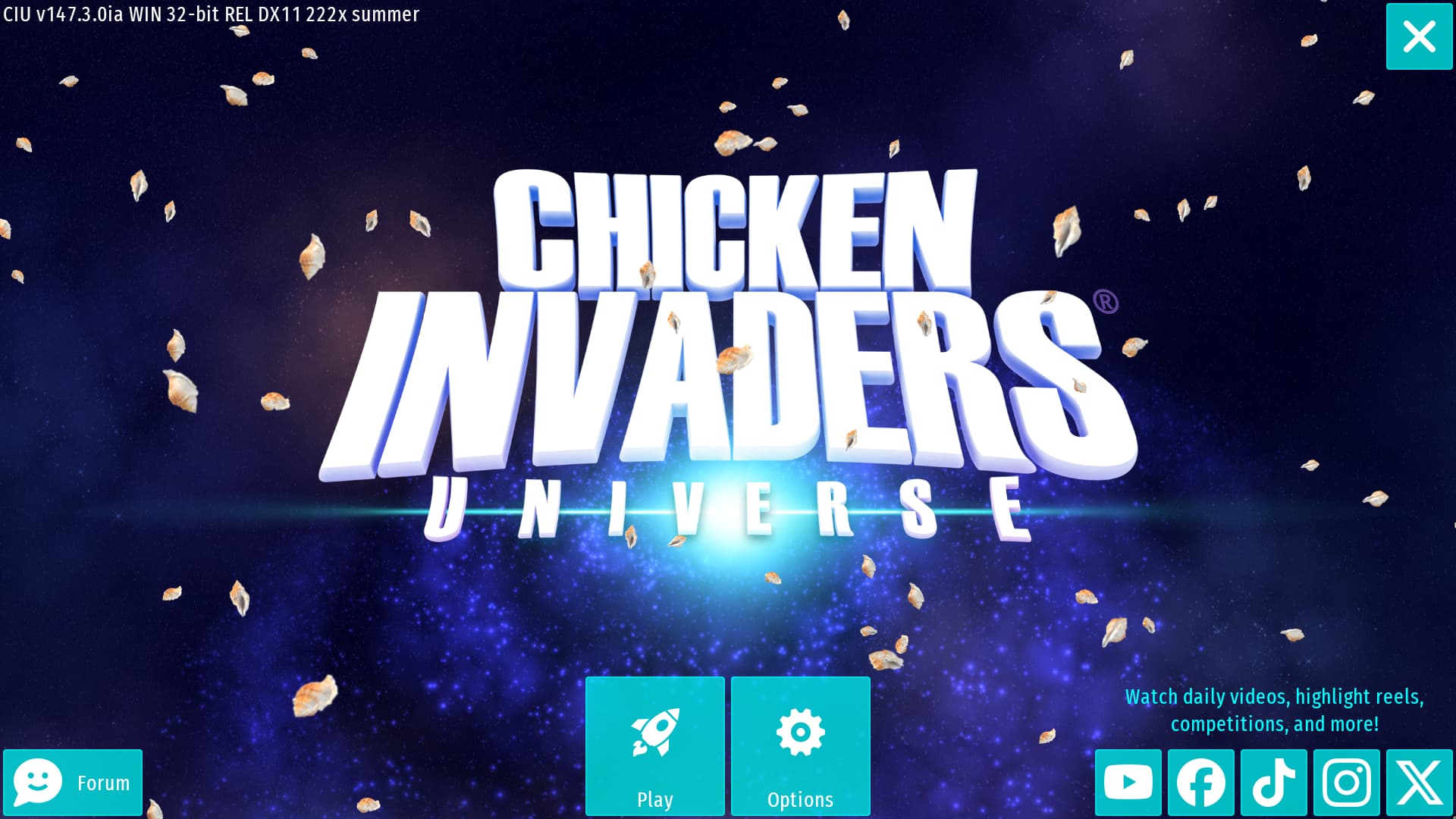
I guess the aqua color refers to the tropical beaches, with theyr crystall clear water, but this is not the color I immidately think of when I think of summer. This is the one I’m referring to:
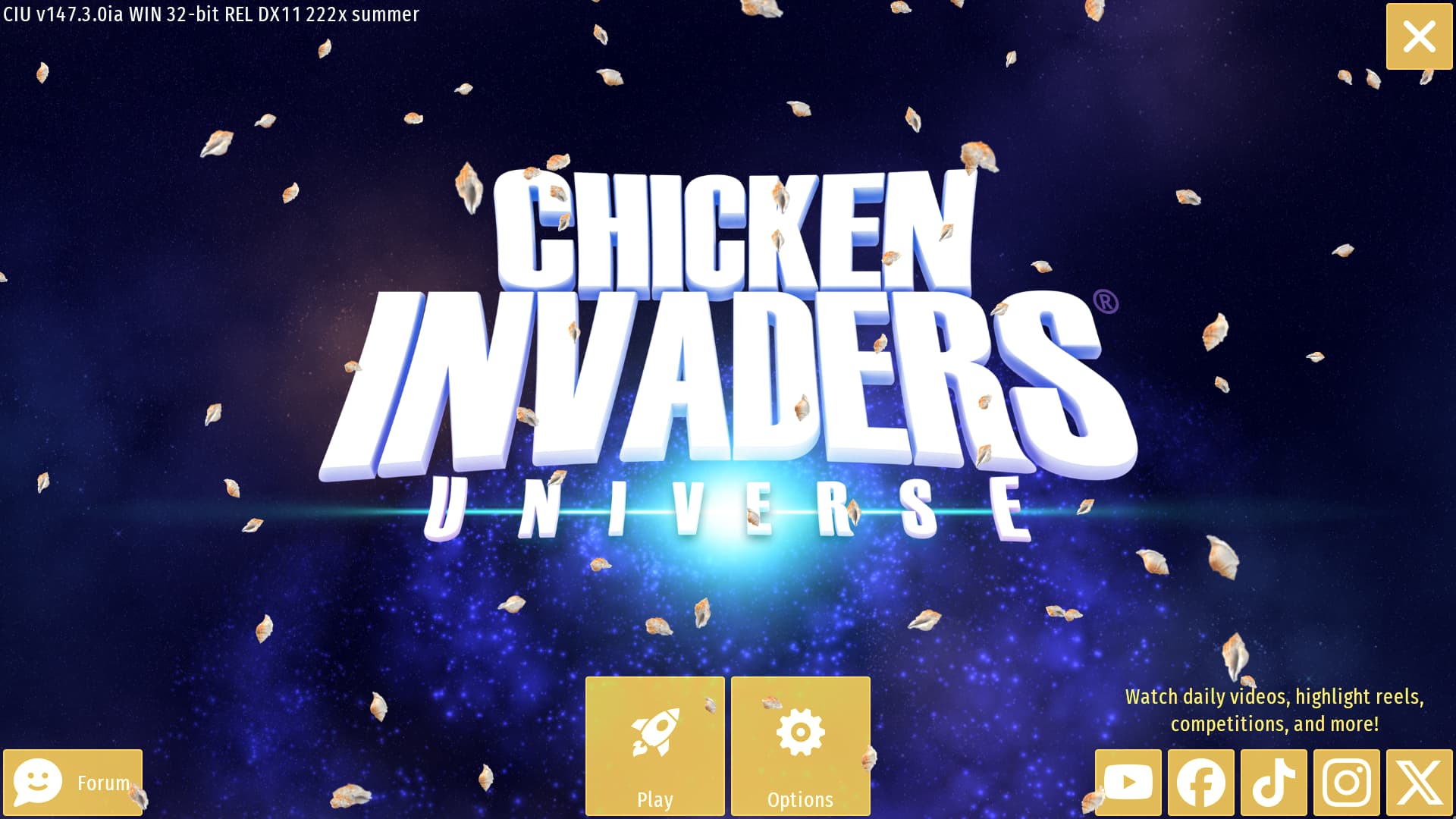
This sand color is perfectly on point for the summer edition, because it rapresent the sand, the sun, the hot sand on the beaches warmed by the sun in the hot days of summer, and the warm light emmitted by the sun during the whole day, that makes you start sweating just by thinking about it. The aqua color is just too cold to rapresent summer, and it’s already too similar to default blue color, but this sand color is just perfect on the other hand, and there is no other seasonal edition that uses this color. Also, the purple galaxy in the background makes it for a much better contrast (still don’t understeand what the purple is refering to, but oh well). Only downside is that this color makes the white text harder to read, and it also blends too much with the shells, but that’s just the nature of the color itself, and I still think it’s not really that bad. So again, if had to pick a color to rapresent the summer it would be this one for sure.
Minor Tweeks
Single player options
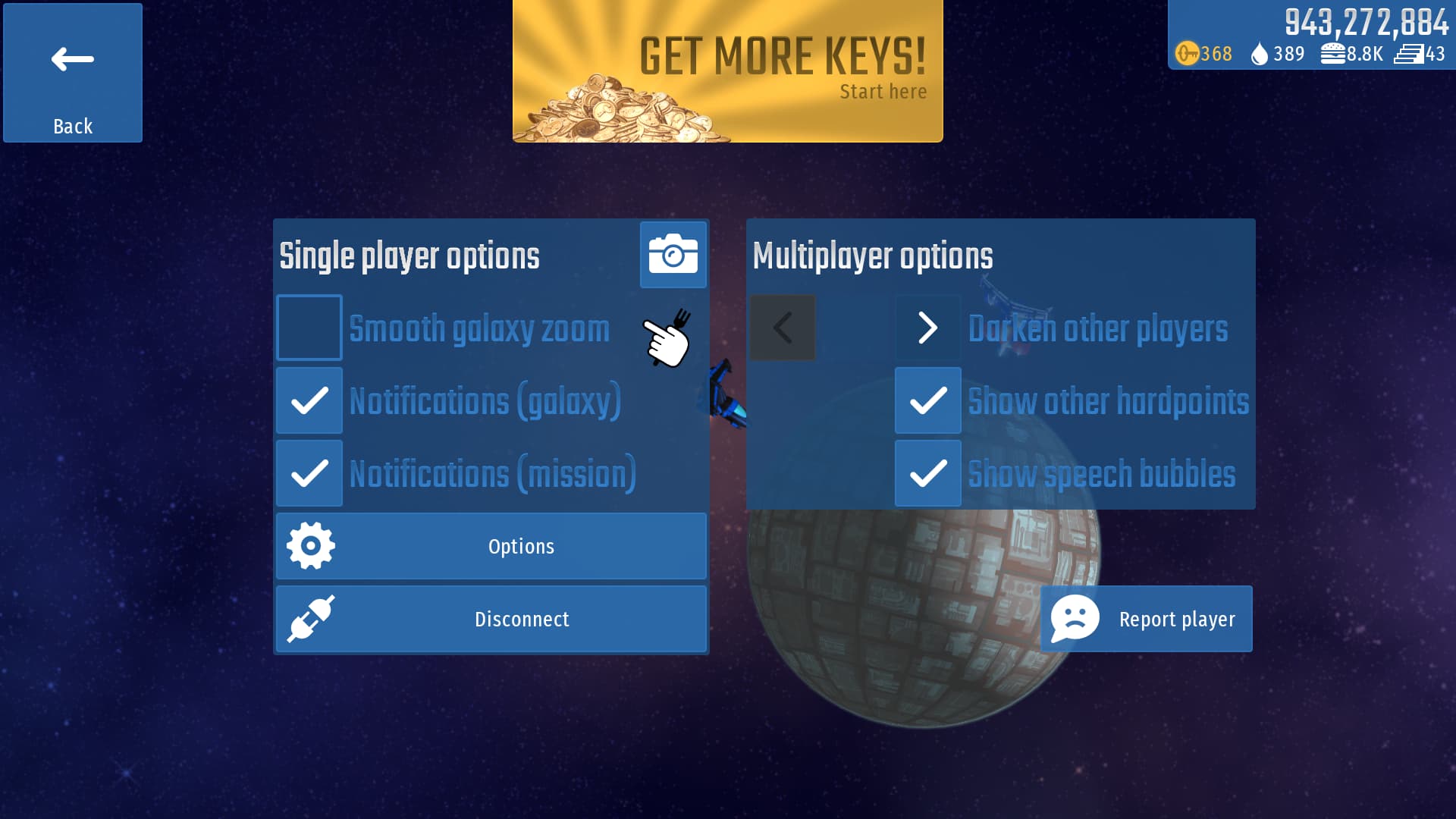
This one is a really minor thing, so I’ll not waste too much time on this, but I basically find odd how in the options menu for the galaxy there is a text above the box for the multiplayer options to explicitely tell what they’re, but for the box on the right there is not, so I basically fixed that:
More dragging options for equipment
This is just another minor tweek but that has functionality instead of being just estetically like the previous one. I really don’t know why this is not a thing already but oh well… So basically, when you choose which equipment to put in the mission slots, you can drag them to duplicate them if you have more of the selected type and put them in other mission slots. This is handy but what if I wan to do a bit more? Like changing the slot of individaul equipment by simply dragging it out to another slot (and to duplicate them you could hold shift while dragging them to another slot, for exemple), or even unmount them by simply dragging them out of the mission slots, like this:
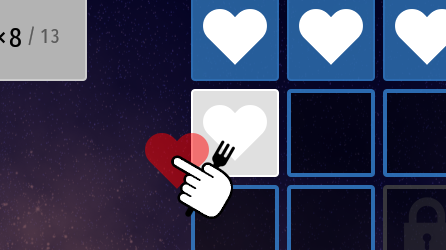
It’s just a minor tweek but it could help managing your loadouts much faster and precisely.
Ideas
Replay Key Rush Missions like Any Other Mission (Literally)
This one I’m sure is an idea that everyone will love, and it’s a simple as that: you can replay the key rush missions as many times as you want, but the increased key drop will only work the first time you play the mission. If you either win, lose or surrender, you could still replay it, but the key drop rate will be the same one as of any other regular mission. This will allow for everyone to increase theyr score in those missions, rather than being just a one off and if you fail it you’re doomed forever.
In addition to this, it would also be better to show the player a warning on screen whenever it finds a key rush mission, to inform it about all of this, like this:
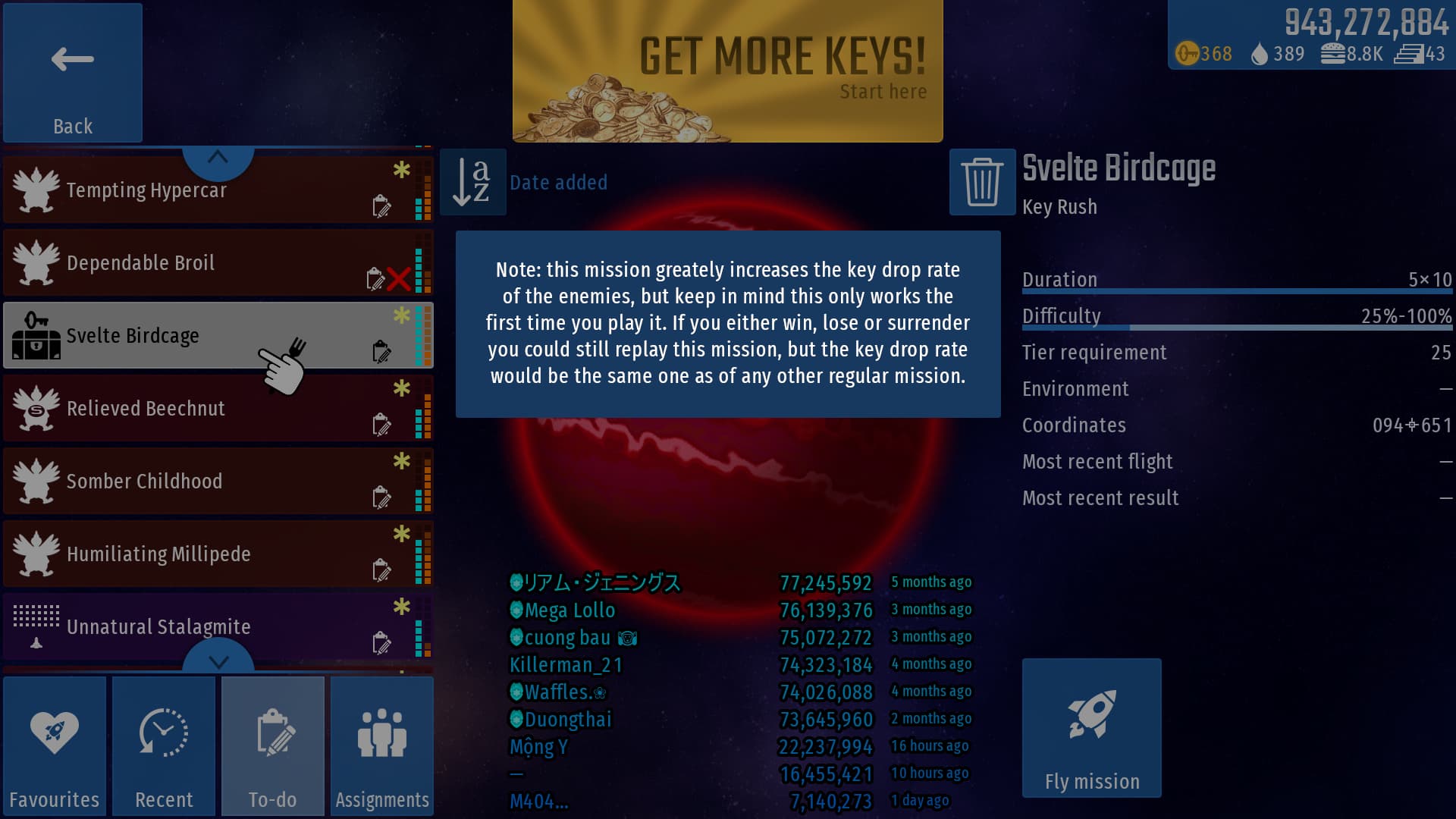
Then after you played the mission, if you replay it then a text on the loadout tab could be displayed saying something like “Note: you already played this kind of mission, so it’s advantages won’t take effect anymore”, or something like that.
HUD Hitbox Visualizer
Last but not least on this massive list is an idea so crazy it could actually work, and you probably already understood it from the title; an HUD that shows the hitboxes, not just for the enemies, but for EVERYTHING; ship, food, coins, atoms, gifts, enemies, obstacles and projectiles:
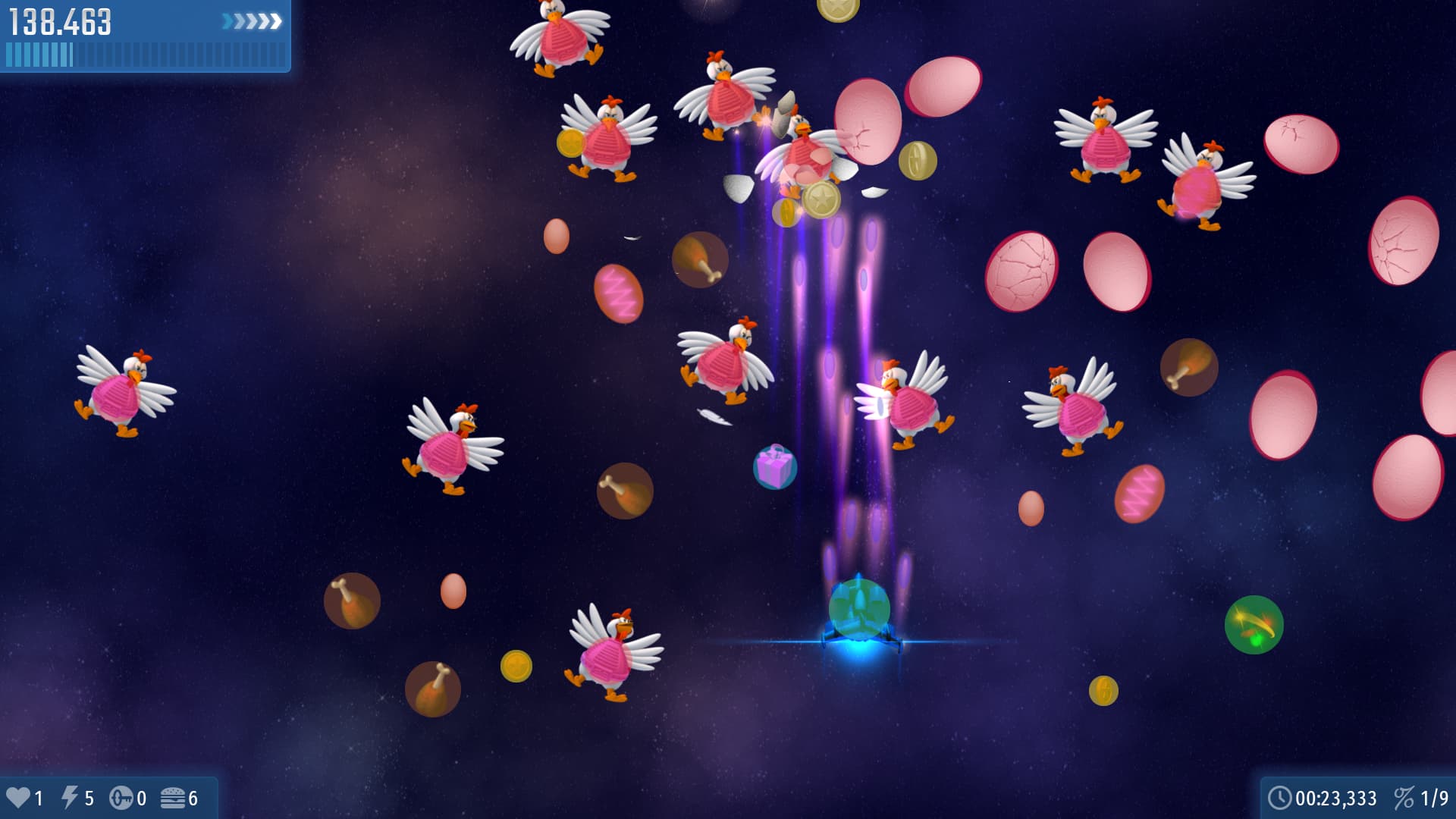
There are already tons of HUDs in the game, that show any kind of information to the player, so why not adding this one as well? I don’t think it would be that OP to be honest, and could also cause distraction depending on the situation, or just generally you don’t want to have that on all the time, so there are natural tradeoffs that makes it balanced enough.
Conclusion
After all this brain storm of suggestions and ideas, I only hope IA will take note of some of these to help him improve the game in one way or another. Ultimately it’s his game and he decides what goes in and what doesn’t, but the community can still give suggestions and feedback, and some time… miracles do happen…
With that said, I’m honestly exited to go back to this game and fianlly discover it and enjoy it more. CI is a series that is really close to my heart and while I do have a love-hate relationship with mobile free-to-play kind of games, I can’t deny that there is still something about this game that intrigues me, so hopefully I’ll get to do some more cool stuff for it and give it some help if needed.
As always feel free to share your opinions about everything I said in any kind of way you want, even the most brutal way. If you think all these suggestions suck ass just tell me with no problems; negative criticisms are way more important than positive ones, remember that, but if you like them in one way or another it is still very appreciated.
Alright, that’s enough of me typing; I consumed my keyboard. Have a good day everyone.



 )
)