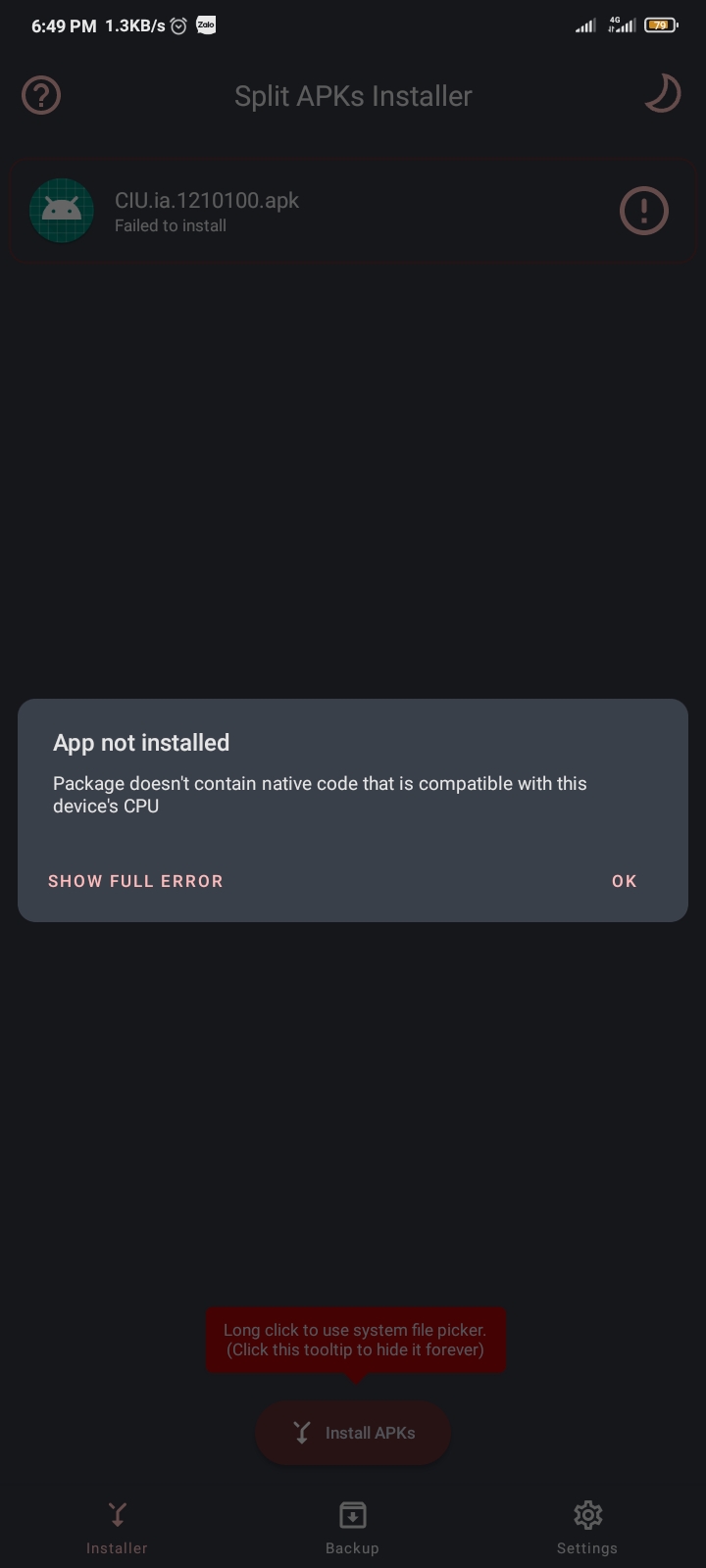
Then perhaps the error lies elsewhere. Perhaps you need to allow sideloading “from unknown sources”?
It all depends on your smartphone, but try following the instructions here: How to Sideload an APK on Your Android Phone or Tablet | Digital Trends
Then perhaps the error lies elsewhere. Perhaps you need to allow sideloading “from unknown sources”?
It all depends on your smartphone, but try following the instructions here: How to Sideload an APK on Your Android Phone or Tablet | Digital Trends
alr allow chrome from installing from other sources
That will eventually be done. For now, this simple keyboard is the best I can do.
You mean Windows desktops? No, only x86 is supported.
but i see someone tell me that my phone is armv7 architecture
somehow
I find that hard to believe. Helio G35 was introduced in late 2020, and by then pretty much all new devices were 64-bit.
If there was a more descriptive error message, we’d be able to discover more about what is going wrong.
This indeed means that your device is 32-bit 
Are you certain you have a Helio G35? 
try google for “Redmi 9C” and check if its 32 or 64 bit
Perhaps the Android version installed is 32-bit. ~~Check it: https://www.techentice.com/how-to-check-if-android-device-is-32-bit-or-64-bit/~~ That doesn’t work. My device is 64-bit and it still doesn’t say x64
sure my phone is android 32 bit lol
guess your only option is to install a custom rom on it
Maybe this can help with one of the points in Steam Deck verification when you fix it.
Well, let’s half agree. They work, but not how I would like them to.
I would suggest to change it for 64-bit android. There are some f***g idiot manufacturers that have put 32-bit android on ARM64 processor.
There’s no android x86 (unless we’re talking about the android to x86 port, but it wouldn’t need any special support from IA). x86 is PC space. In Mobile you have ARM and ARM64.
Do you people read what IA posts? He explicitly said what are his plans with mobile version in the EA v121 topic.
In the past. But in 121 topic he said “android might eventually appear officially in the store”. I doubt he meant in his website store instead of Google Play Store. But I would welcome it even more if it’s available outside of it.
You people really don’t read anything do you? There will be no 32-bit version. It’s just for 64-bit OS.
Who has 64 version?
Anyway, back to the issues.
I used my OTG adapter and my k+m set. It works as in older episodes which means you have to click and drag the mouse to move it which is not ideal since you autoshoot from weapon then.
Keyboard also works meaning you can shoot with space and control with arrow keys, but pressing ESC button just hides the mobile screen buttons and the text above appears “ESC/P for menu” (or something like that). It also causes a little lag which looks like it takes focus out of the touchscreen. Weirdly P button brings up the pause menu normally.
Another thing is that mouse scroll doesn’t zoom out the galaxy view.
game runs on wsa, performance is fine, mouse and keyboard work similar to kokos’ descriptions.
i have no idea why i did this
no i dont i dont check the ea topics often sorry
So,my phone “honor 10 lite” it does work 32-bit and 64-bit and CPU is hiliscon kirin 710 and more:
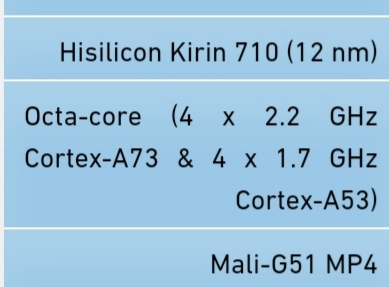
But it’s upgraded Android 10
I don’t feel like using my right hand for satellites, can the button be on the left?
If there’s no option for it already then I think one should be added.
It simply allows installing pure Android on PC.
Is rockets having infinite uses in the tutorial is intentional?
@InterAction_studios What happened if i link my account in Android while i also linked it in PC? Does it makes my account in PC unlinked? Or nothing will happen?