So I wanna present to you some ideas that no one has suggested before (or they’ve already long ago that I didn’t know):
1. Filters for missions
In the Mission interface, when you’re browsing for missions, click the filter icon and this will show up:
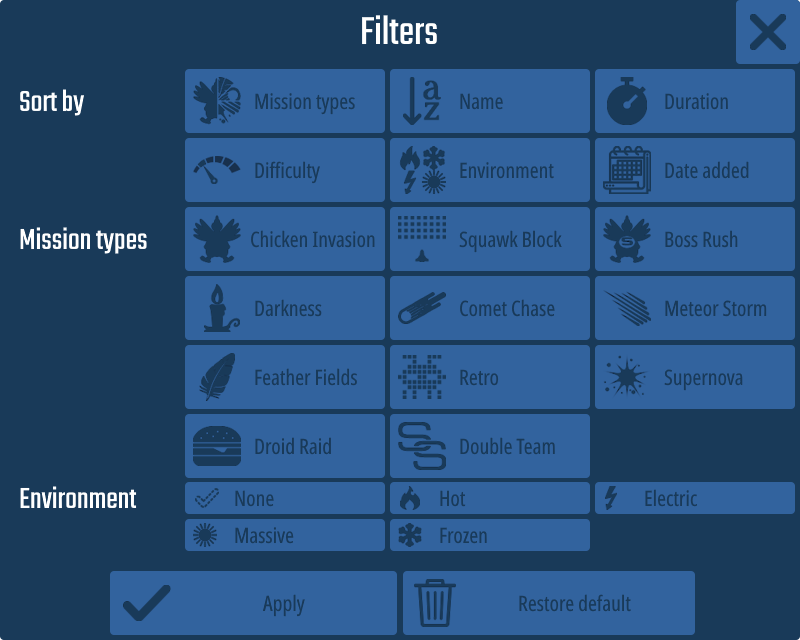
As you can see, you can:
- Sort missions by type/environment (which will sort missions separately)
- Sort by name/duration/difficulty (ascending and descending)
- Sort by date added (Default setting. This will be shown as “Date assigned” in Assignments)
- Show missions by types/environments
Here’s the example of filtering and sorting missions:
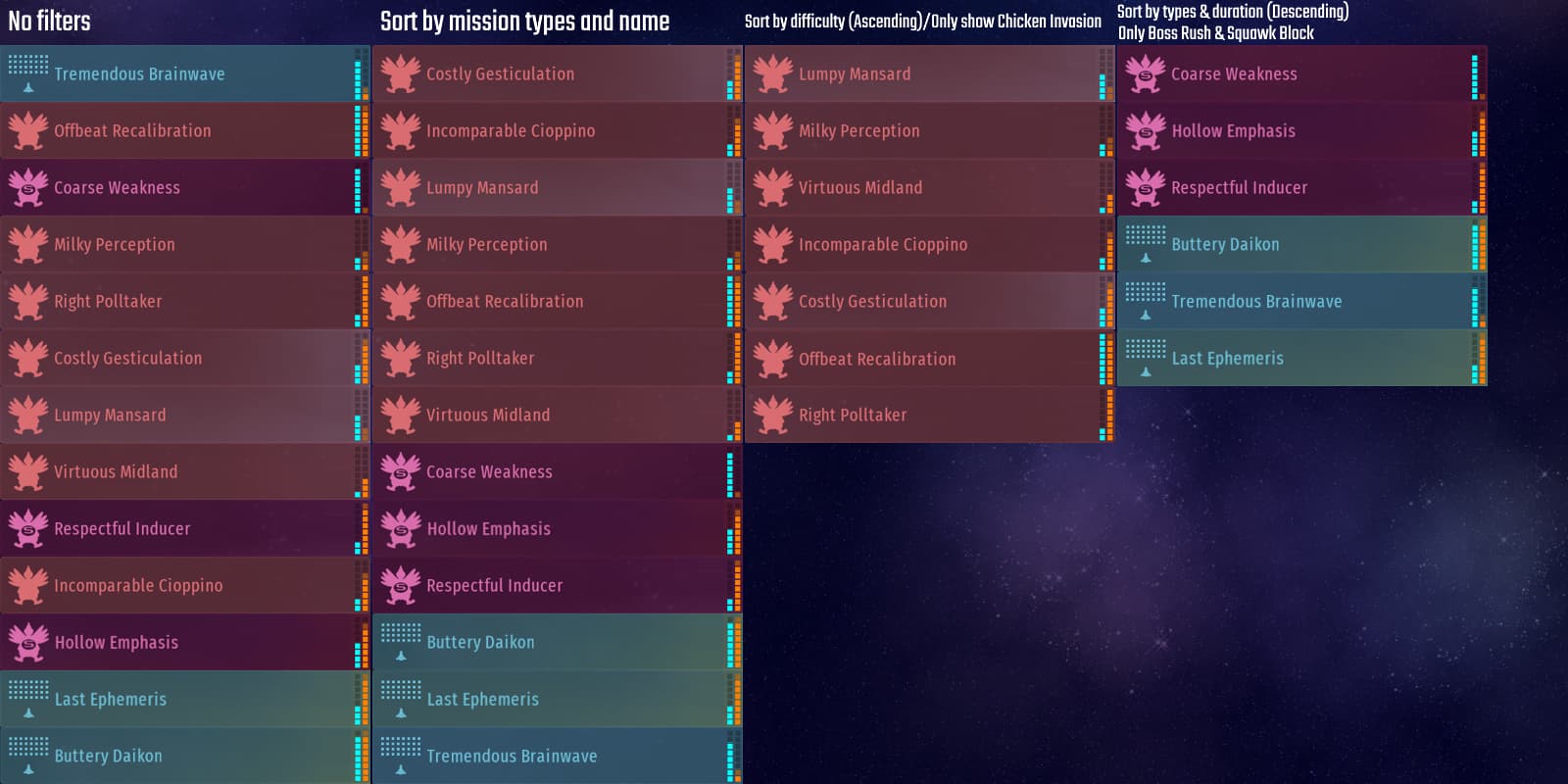
If there is no missions after using filter, the game will say “There are no missions that match the filter.”.
2. New Fleet Interface
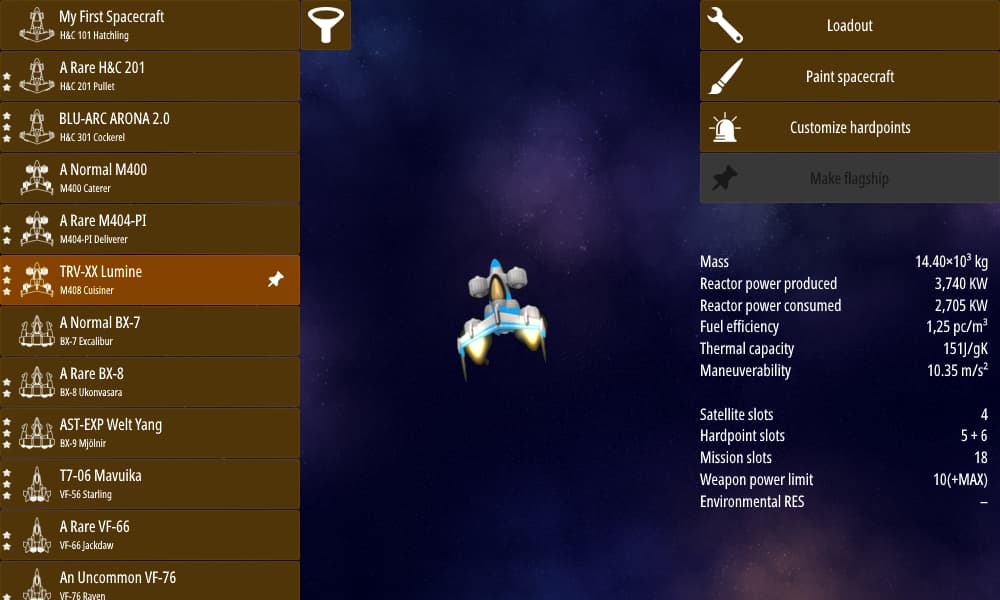
There are some new buttons:
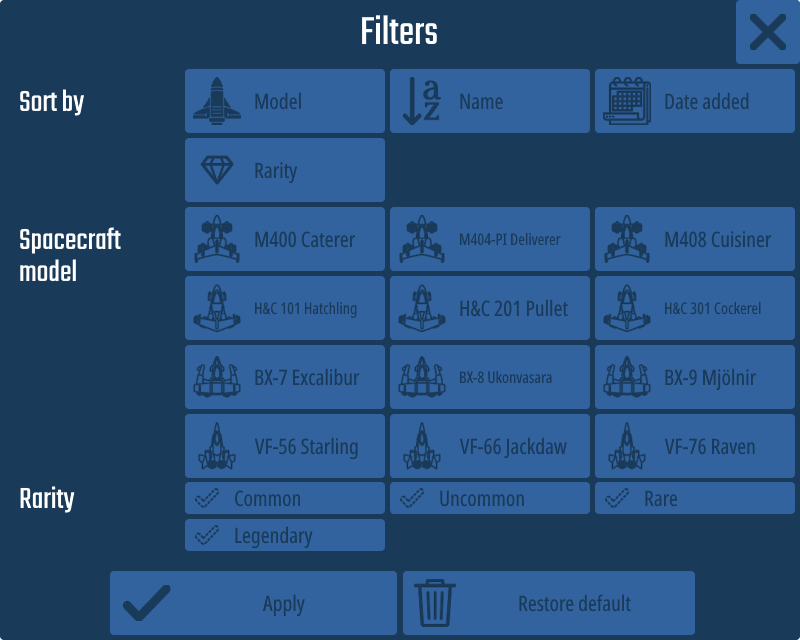
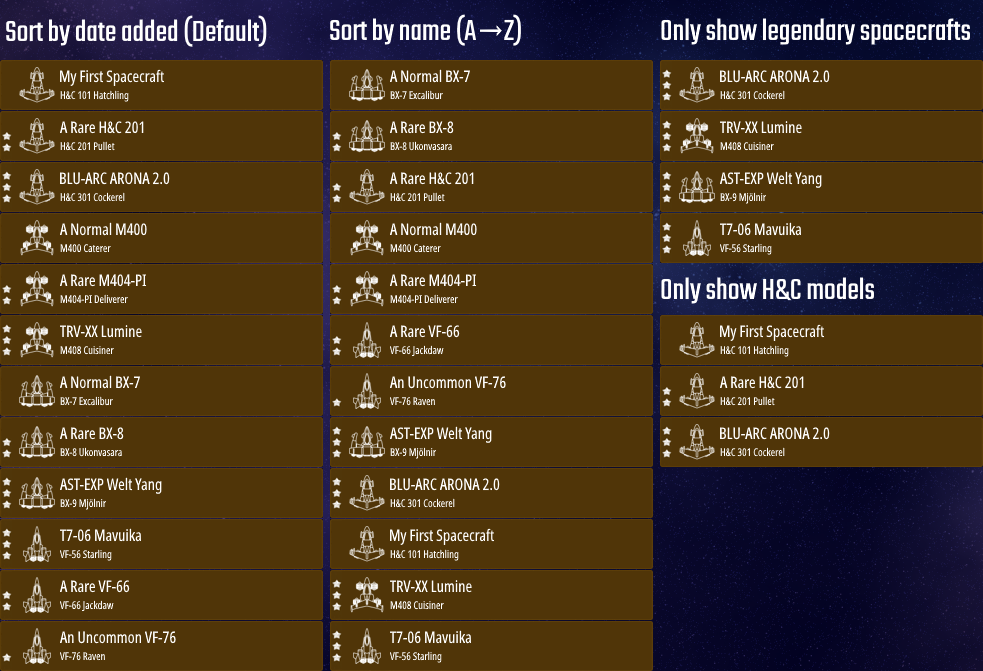
- Filter button (use to sort spacecraft by model/name/date added/rarity and show them by model/rarity)
Example:
If there is no spacecraft after using filter, the game will say “There are no spacecrafts that match the filter.”. - Paint spacecraft** (pretty self-explanatory)
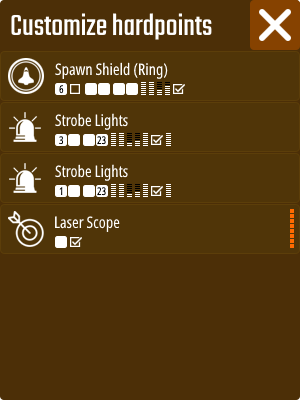
- Customize hardpoints**, which will bring up this menu:
The rest is self-explanatory. If there aren’t any hardpoints mounted, the button will gray out and said “This spacecraft doesn’t have any hardpoints.” when clicked on.
** This will remove the “Customize” button from the Recruit interface.
What do you guys think? Let me know!