Greetings, recruits!
Today I am gonna introduce to you Music Playback options
When you select music normally before flying a mission, you either pick up 1 music track or more on whenever if this is boss music or wave music. If you pick 3 different music tracks for wave music, the music in the background will be played randomly from the 3 music tracks you have selected, but what if I want to start a specific track for this stage? What if I want to Switch to the other tracks after the first track has finished already?
We are used to the disconnecting method to switch tracks from what we have selected before we fly our mission, but what if I want to do that without disconnecting?
I have encountered a problem where the 2nd boss theme track was being played and I wanted the 3rd instead, I kept disconnecting and rejoining for more than 30 times until it finally switched to what I wanted to hear. So these playback options fix all that.
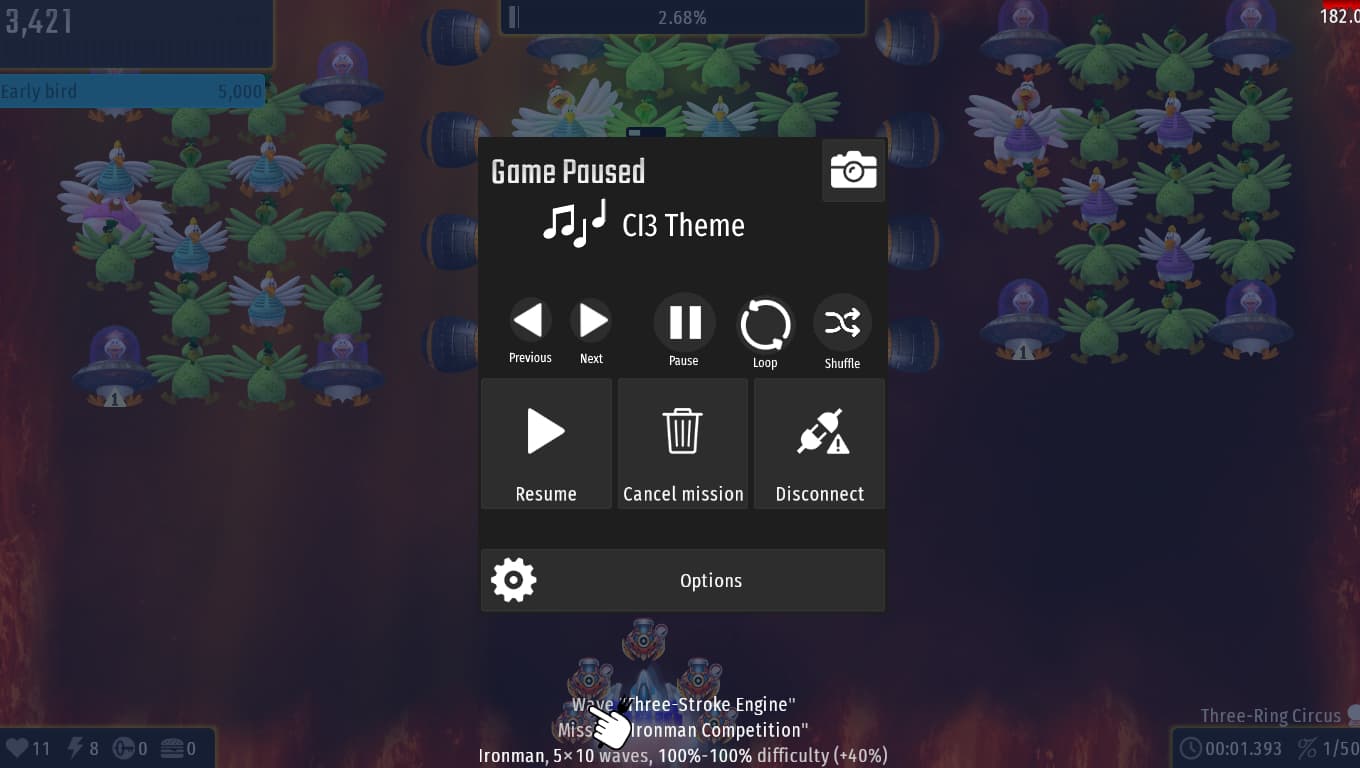
As Shown in the images, there will be Next, Previous & Next buttons will change the music according to the order of music you have selected before flying the mission.
There is the pause button, which pauses the soundtrack and you can enable it whenever you want.
Next is the Loop button, incase you want to hear the soundtrack for the rest of the stage or for the rest of the boss theme you choose.
Then there is the Shuffle button, exactly like how tracks are shuffled, but this time we can shuffle it easily through this button.
On top of that, in the top there will be the name of the soundtrack so the user knows what music is being played at the moment.
We can also enable/disable this option in the Gameplay > Accessibility > Music playback options.
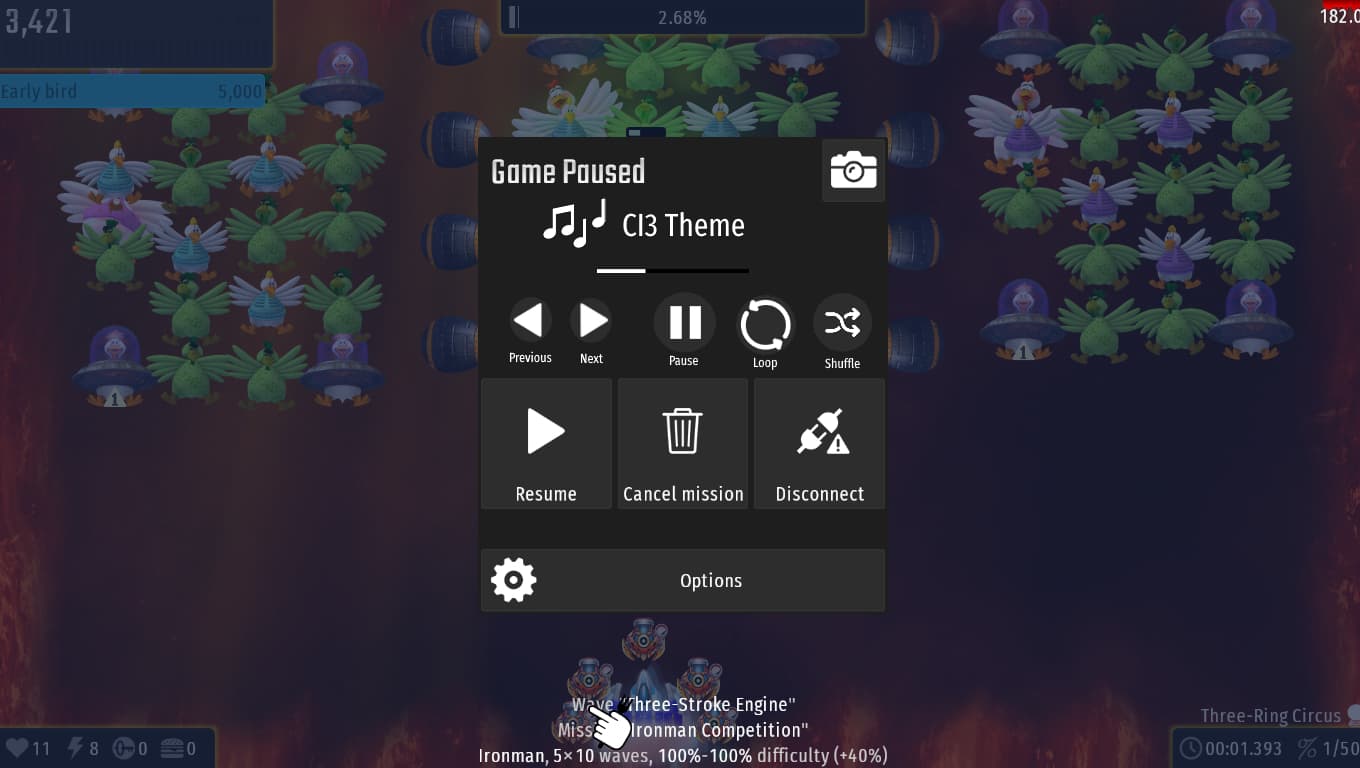
Extra: Music bar
The music bar will determine when will the music end and the progress of the music track being played at the moment.
For illustration:
Thank you for reading my post, Have a nice day, recruit!

