Welcome to the 2nd part of the series “How to add it to the game”, in this series, For more info check the first part of the series:
Without further ado, let’s start our topic.
After taking a look at some info from iA posts + some change logs, I knew that the waves use some combinations of wave layout + coding, they also use the “Main Features”, Let’s get into this section:
Main Features
Here we meet with the wave editor features:
- Paths
- Groups
- Upon Destruction
- Enemies Restriction
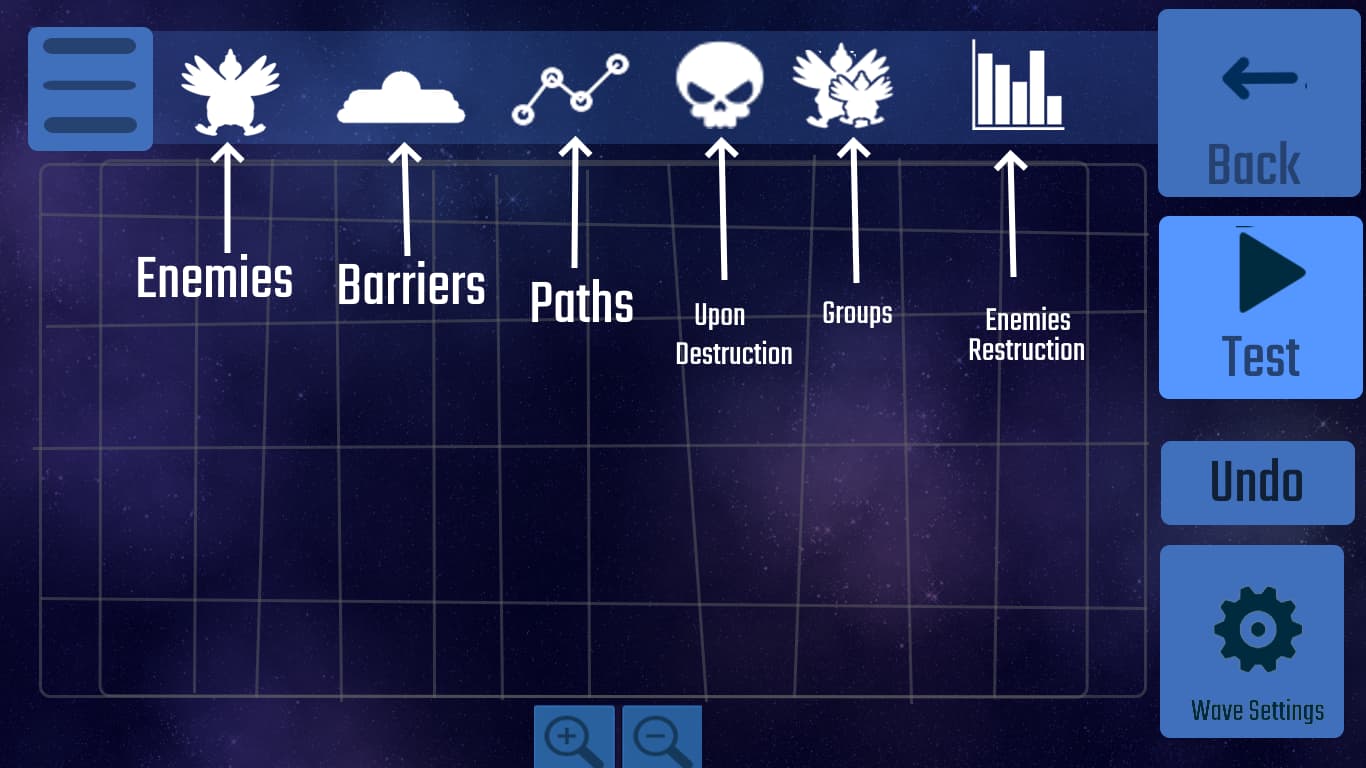
Paths
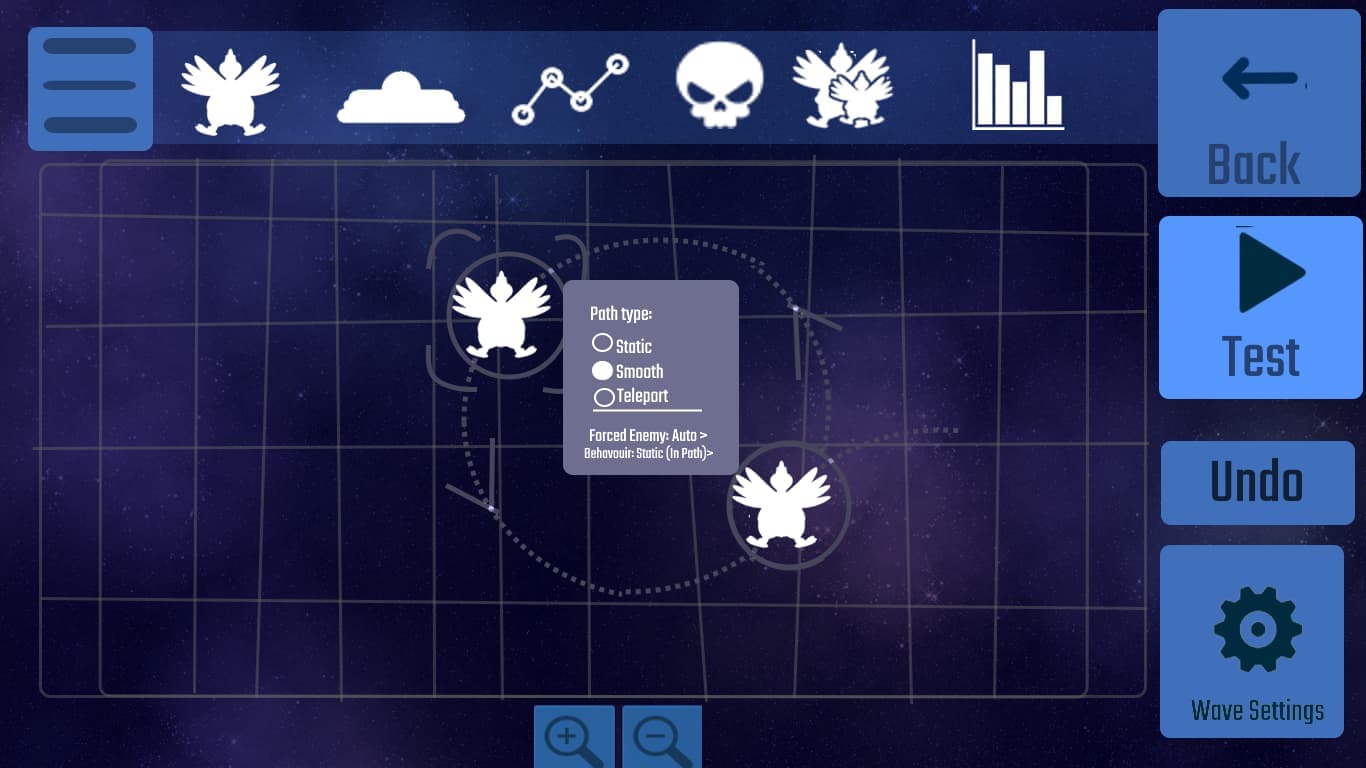
We would have 2 types of transitions:
- Smooth transition
- Teleporting transition
Smooth one means the chickens will go there normally like how we see them in waves
Teleporting one means the chickens & other objects would teleport, e.g a bubble would sometimes flicker like in “Bubble Rings” wave.
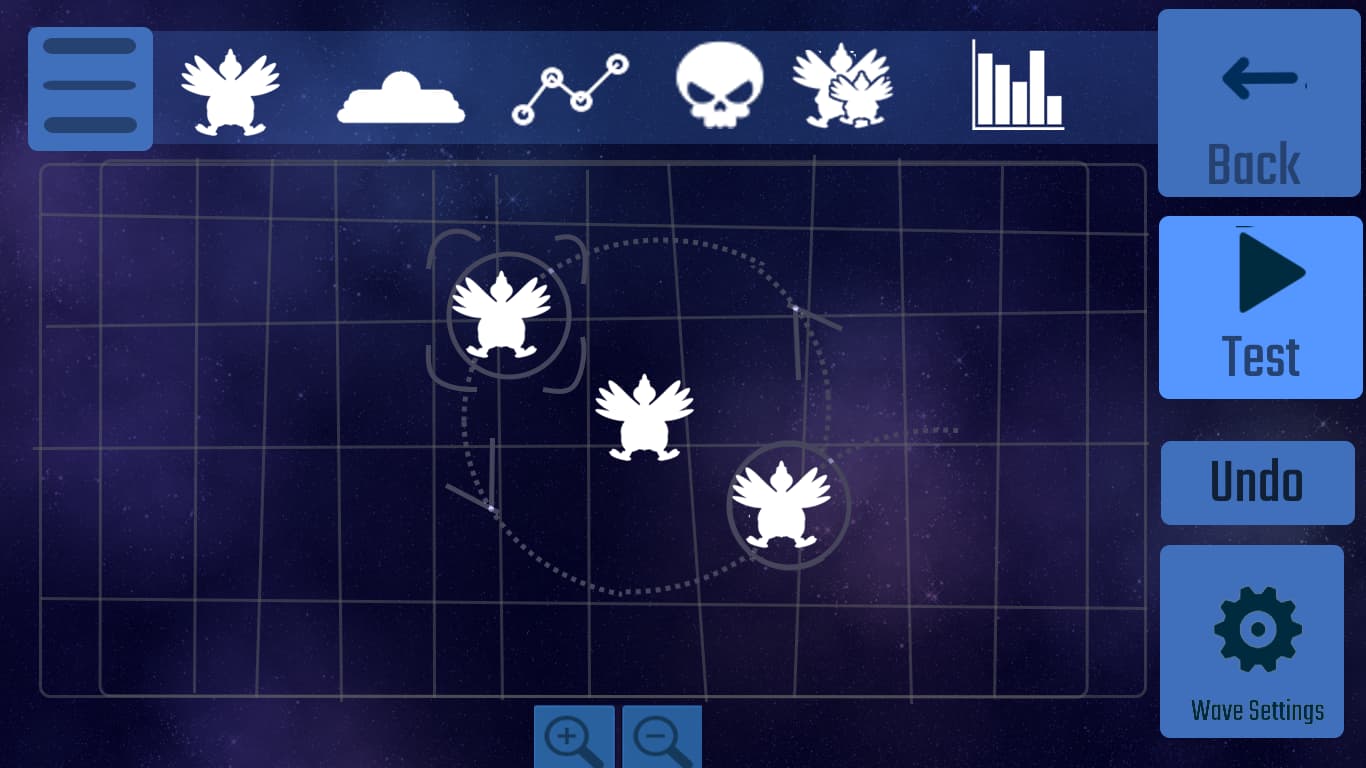
If certain enemies don’t have their selected paths they will have 2 other options:
- Free Roam (like how enemies are ejected from UFO)
- Terminators (like how it’s in “Terminator Chickens” wave)
- Static (Makes the enemy static but can be moved if it’s inside a moving group)
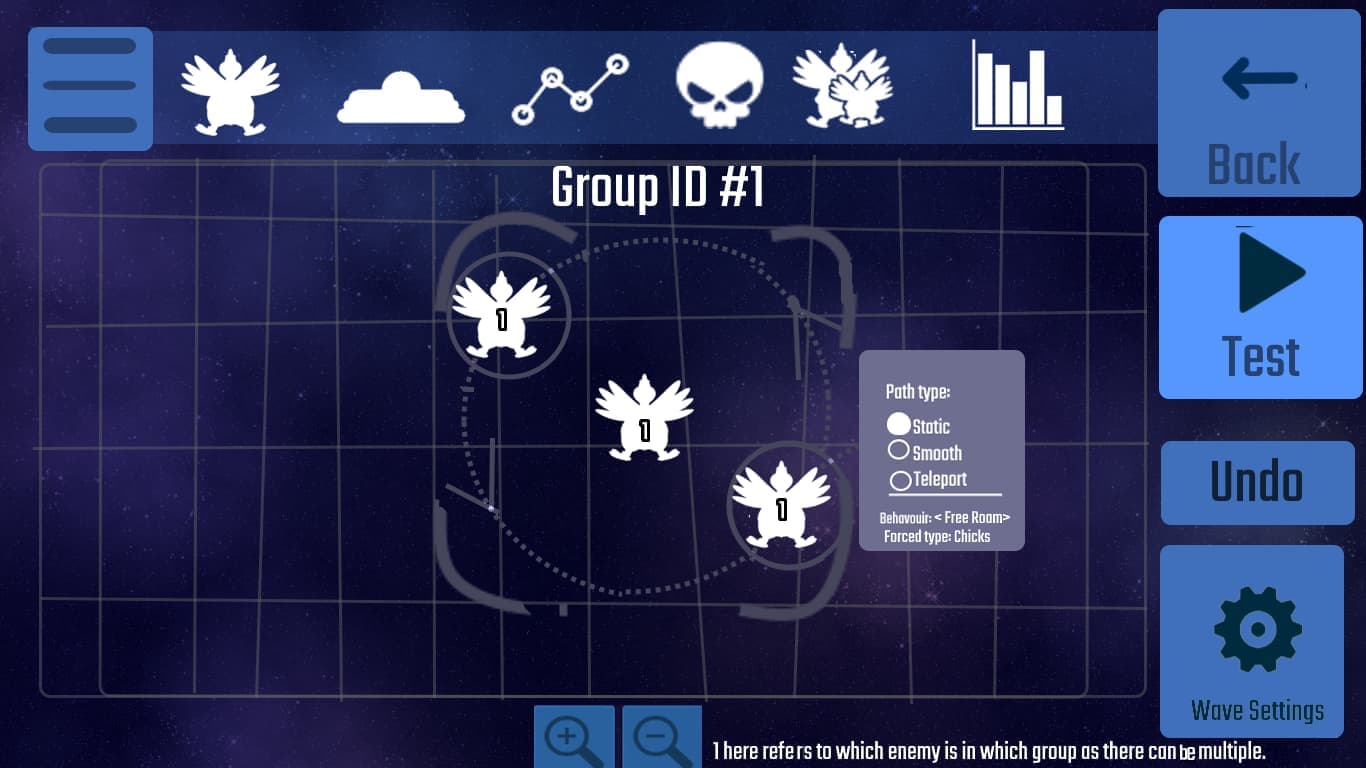
Groups
They are just a group of enemies, if there are certain enemies or barriers, they can be attached as a group, more groups can be added too.
They can be useful for moving a whole group of chickens or barriers instead of moving each one manually.
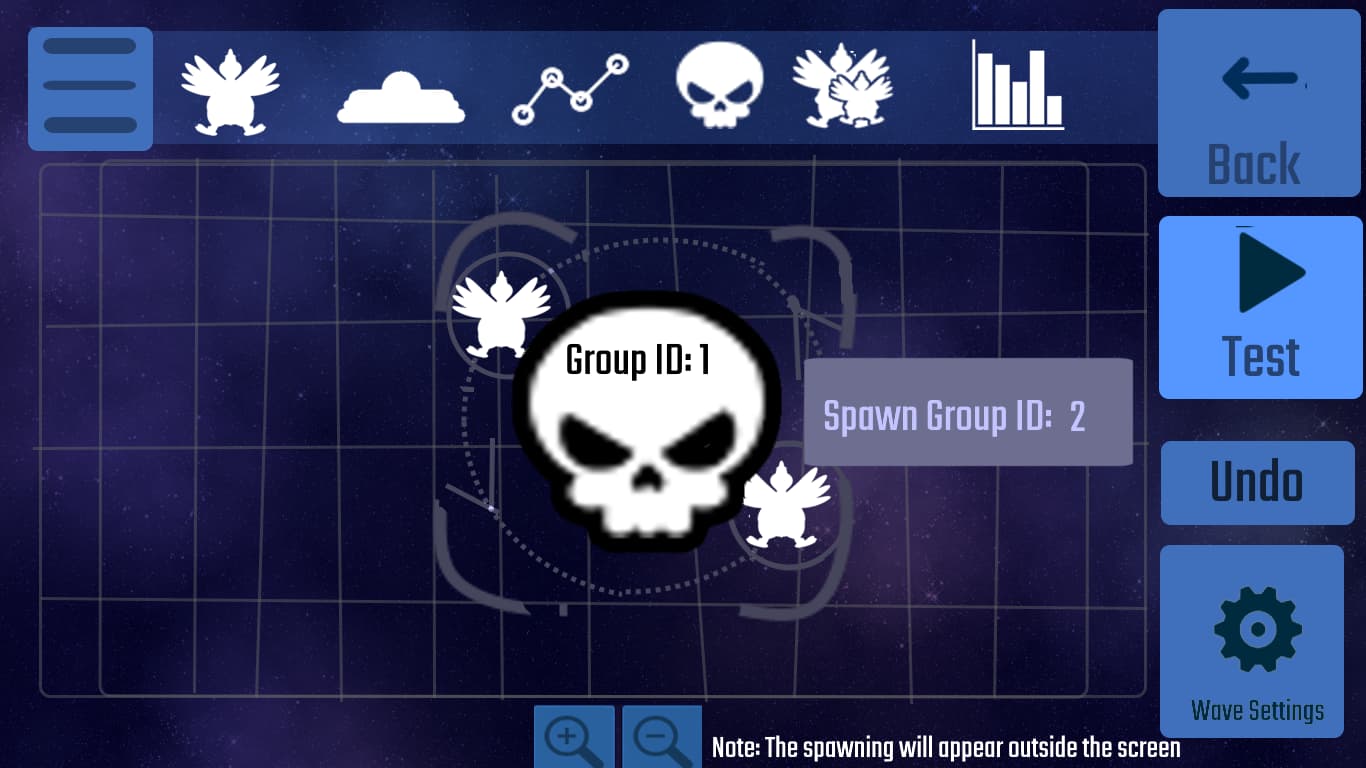
Upon Destruction
So, this feature means, when a group dies, it activates another one.
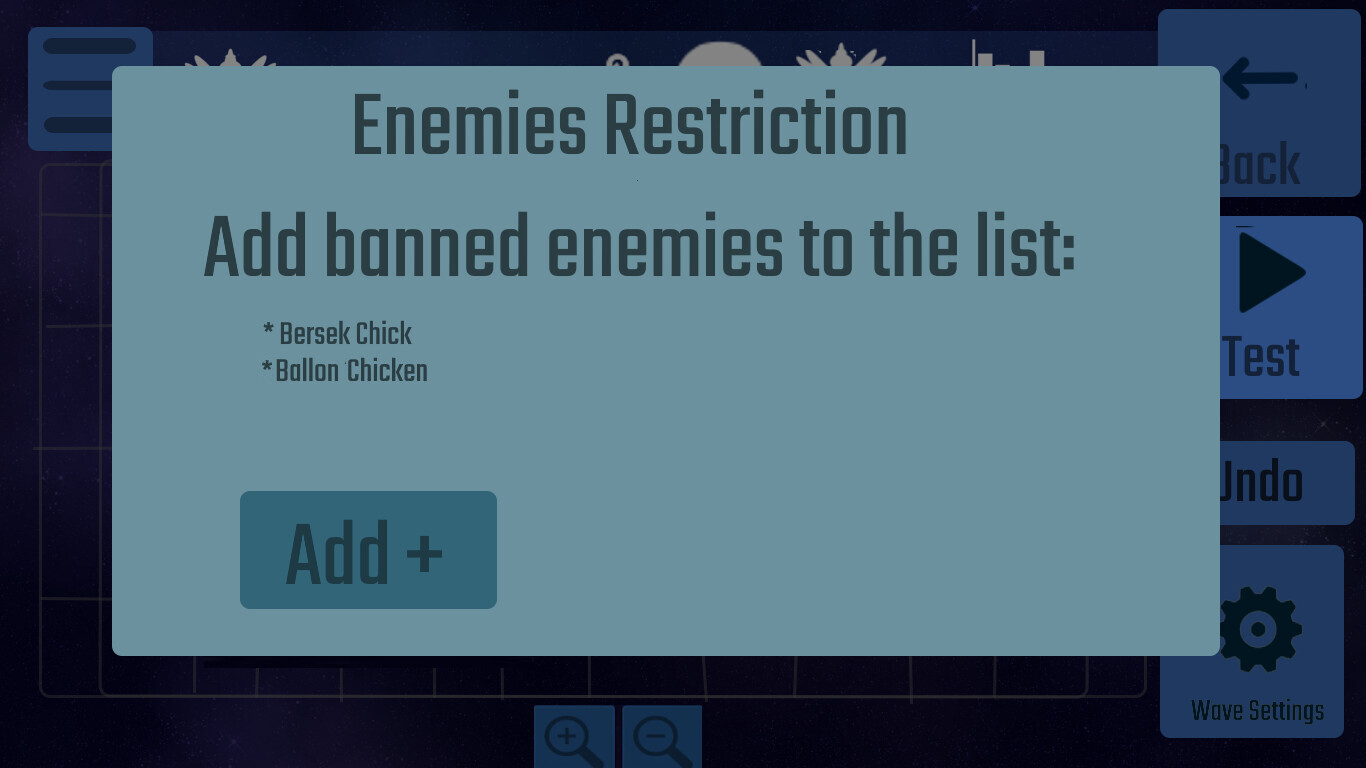
Enemies Restriction
Basically bans certain enemies from appearing in the wave like how it’s done in certain waves to either hide weird enemy behaviors or it’s difficult to the wave, or even make a wave specific to a certain enemy.
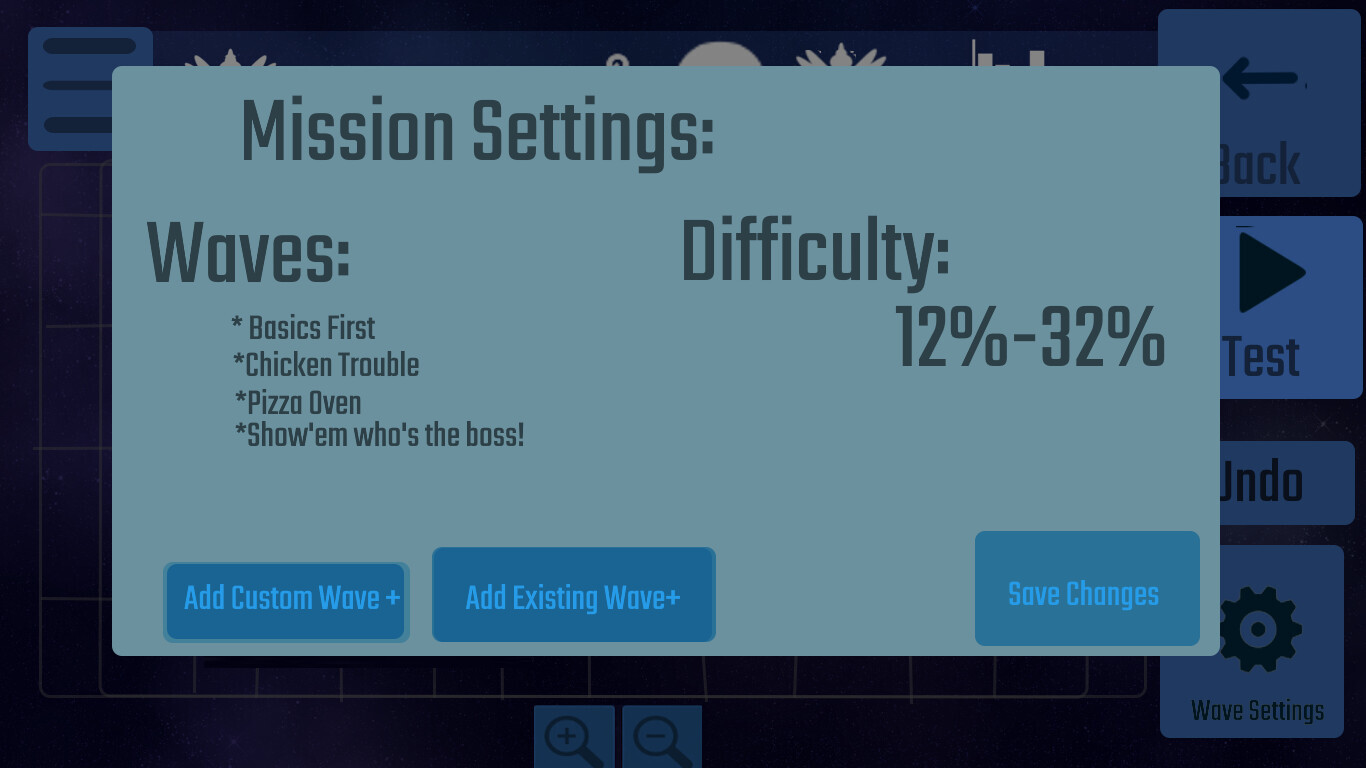
Missions Editor
After we made our waves it’s time to add them to our missions, custom missions can use normal waves + custom waves made by the same player.
Planetary mission editor?
After some searching, it turns out that there may be an planetary mission editor, if you noticed in game files, there are .lev files so my guess is that there’s a whole editor in engine just for planetary missions. So as most of these levels use layout like how normal game editors do + wave calling (add the wave data into the mission which needs separate wave level before adding it into the mission) ig.
Mission/Wave Uploading (Final Stage)
After all we made we finally reach to the final stages, uploading the wave/mission,
before uploading any wave, they must be tested on highest difficulty with no equipment, if they are missions, they must be beaten with the SSH, again with no equipment.
Conclusion
And that’s it for this topic, I know there are some complicated stuff but hopefully this will simplify implementing them into the game, maybe it’s even that simple as iA already makes waves (maybe using the same way?)
Anyways, if you have any suggestions or improvements, feel free to comment.
and…
Thanks for Reading and following the whole series!
(Yes, only 2 parts…)
 Current Page.
 /
/