So I’ve thought of something that might genuinely make player activity rise extremely quickly
I introduce you to Editing Mode!
A mode where you can customize EVERYTHING in a game! To your firepower, your ship, what you can bring, difficulty of waves and more! You will only be able to access this mode if you’re at tier 99 and at Rear Admiral rank
First of all this is how it would look normally. You’d be able to switch to “Normal” and “Editing Mode”
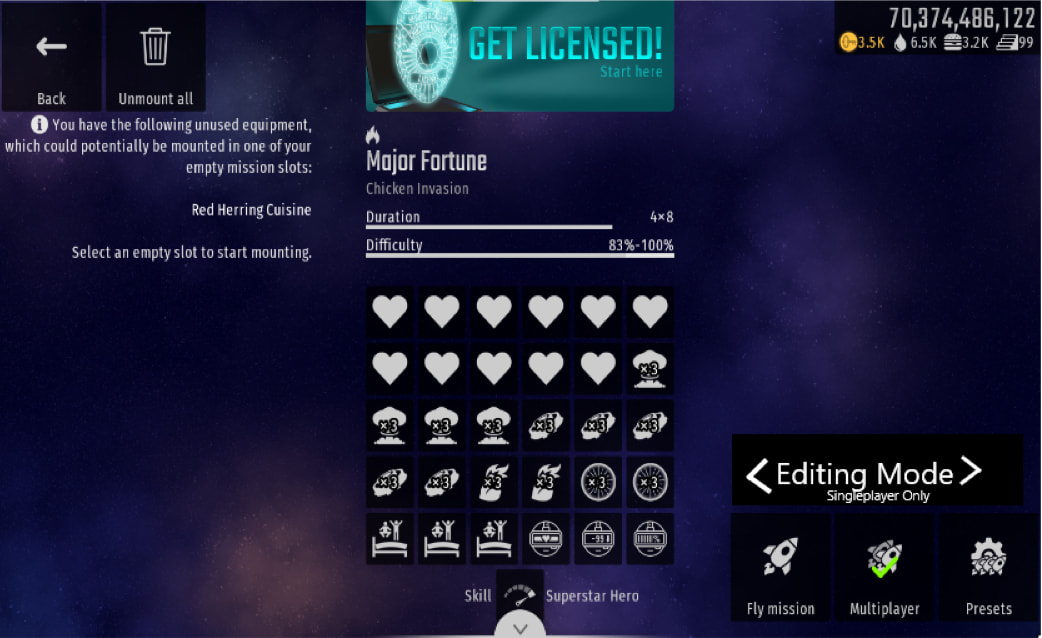
What editing mode does is it lets you do literally anything. You can start on whatever wave you like with the name of the wave
Now, this is how it would look like for you. It would start you paused, because… Well there is no wave to start from, so instead you type in the wave you want to see in the interface at the bottom which is clickable. When you click the interface it will show you a list of all the wave names, the boss waves and special waves from different types of missions
You will also be able to change everything in Editor Mode options, which I’ll get into a bit (That wrench was a little hard to draw)
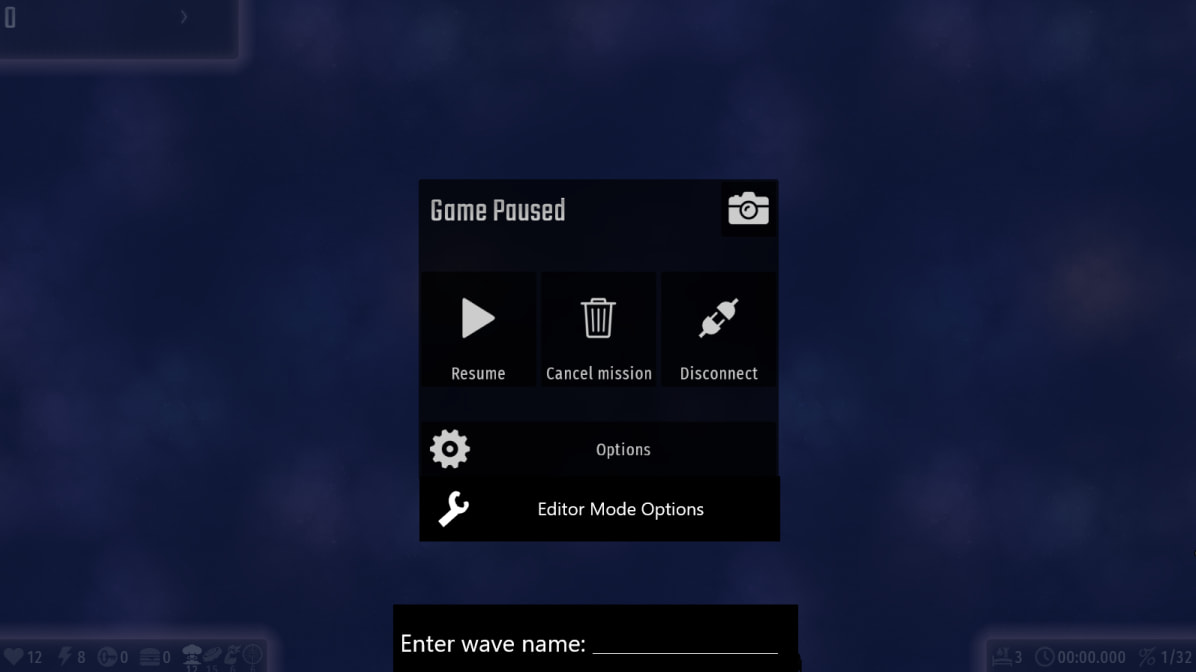
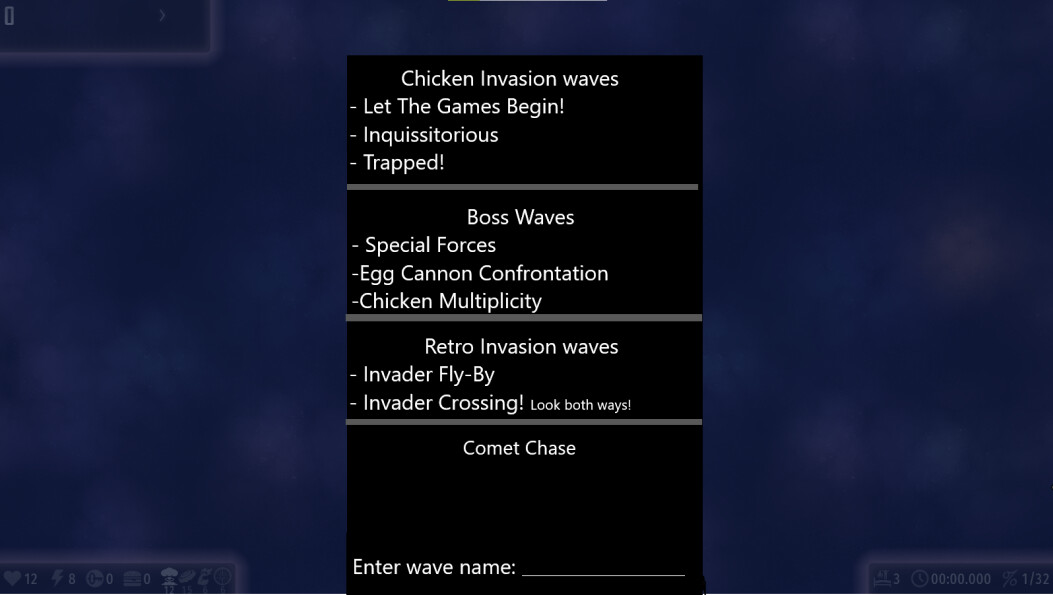
Guys I know it looks a bit scuffed, but I’m literally using Paint 3D for all this editing I have to do
This isn’t really a great representation, but you’ll be able to click on “Chicken Invasion waves” to select from only Chicken Invasion waves. To get out of that menu there will be a “back” button. You can always enter a wave name at the bottom, that won’t go anywhere
Now for Editor Mode Options
That’s where you can REALLY customize everything. Here’s a list of everything you will be able to customize in that menu:
-Spacecraft model
-Firepower amount you have (Max can be set to +100)
-Gifts that are allowed to spawn
-Weapon you are currently using
-Amount of Special Weapons, Perishables, Insta-use you can use. Plus, being able to disable the “Jammed!” function, and be able to set the background, music to anything you like. You can give yourself ∞ of everything as well
-What chickens can spawn
-How many lives you have. You can give yourself ∞ lives
In Editing Mode you WONT recieve:
-Food
-Keys
-Score
-Medals
-You can’t host, because for obvious reasons
But you can gain Food, Keys, Score as an aesthetic purpose, to really see what a certain wave would give you in a real game. Again, you won’t be able to gain anything by using Editor Mode, you can use it as like practice or just test some things out
This is what it’ll look like when you click on “Editor Mode Options”
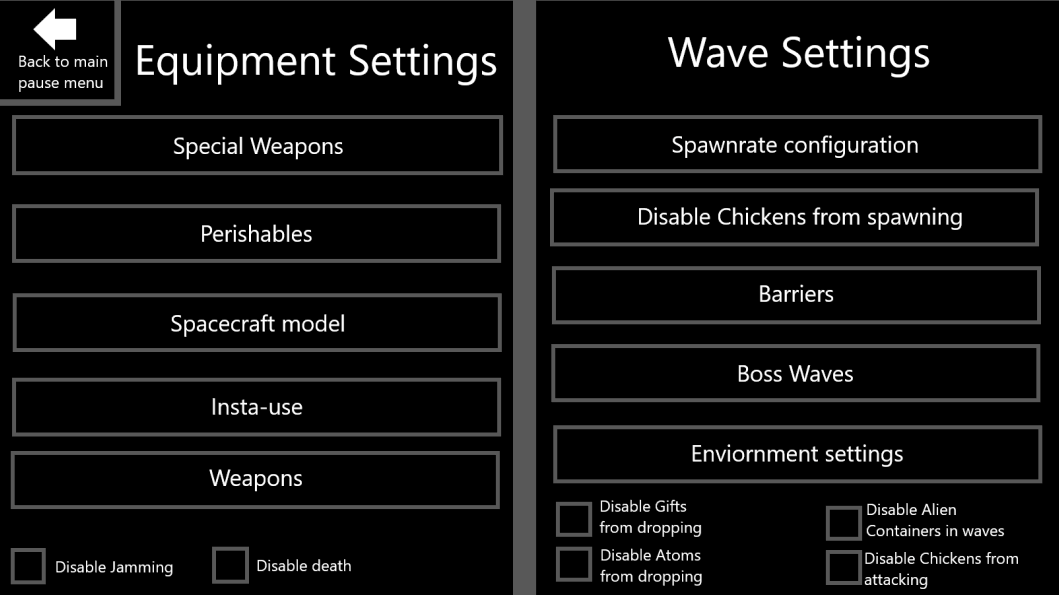
Note: You can only access Editor Mode Options while paused
This is a early stage version of what I had envisioned. Sadly, the limitations of Paint 3D are harsh
So! I’ll explain everything and how it works
You will be able to click on everything you see (Also, I didn’t have enough room to add extra options like “Music”, “Background” so just imagine there’s a scrollbar through the settings). When you click one of the buttons it’ll take you to a similar looking menu like the one you see, but you will be able to customize everything in that section that button takes you to.
Special Weapons:
You will be able to customize these things in this category:
-Clucker Bombs:
Amount: _____ Give infinite uses: 
-Damage Amplifier:
Amount: _____ Give infinite uses:
(You get the point it’ll all look like that for every option)
Now some sections may differ on how they look, like example the Music section. Here is what it would look like
Music:
-”Bird In A Daze” Music track from Chicken Invaders: Revenge of the Yolk
-”Chilli Wings” Music track from Chicken Invaders Universe
-”A Long Time Ago” Music Track from Chicken Invaders: Ultimate Omelette
(And you get the points)
And of course you’ll be able to scroll through every option, and be able to click on them to hear the songs. Background will look the same
And now for the Wave Settings
Spawnrate Configuration:
Armored Chicken spawnrate: ____ (20% will be the default for each chicken. You will be able to click on the numbers to change the spawnrate of each chicken)
Disable Chickens From Spawning:
Disable Armored Chickens from spawning:
Disable Chickennauts from spawning:
Disable Slobs from spawning:
It’ll look a little like that, repeated for every chicken
Barriers:
(This will let you disable and enable what barriers can spawn in each wave. Like… the different types of them? Yes, even the shooting ones you see in Shoot The Core boss)
Boss Waves:
Difficulty: _____ (50% is the default. Max difficulty is of course 140%, because of ssh)
Summon Boss:
Special Forces
The Mother-Hen Ship
Thundercluck
(And it’ll repeat for you to be able to summon any boss you want)
Guys, please give me a break if this looks a little rushed, because it is
Being able to publish custom missions?
So… After you are done you will be able to post your custom mission into servers for others to play and try to beat. Of course these customs missions will reward nothing, but it can be fun trying out challenges
This is what it’ll look like when you want to publish a mission (I really tried to make it look spherical)
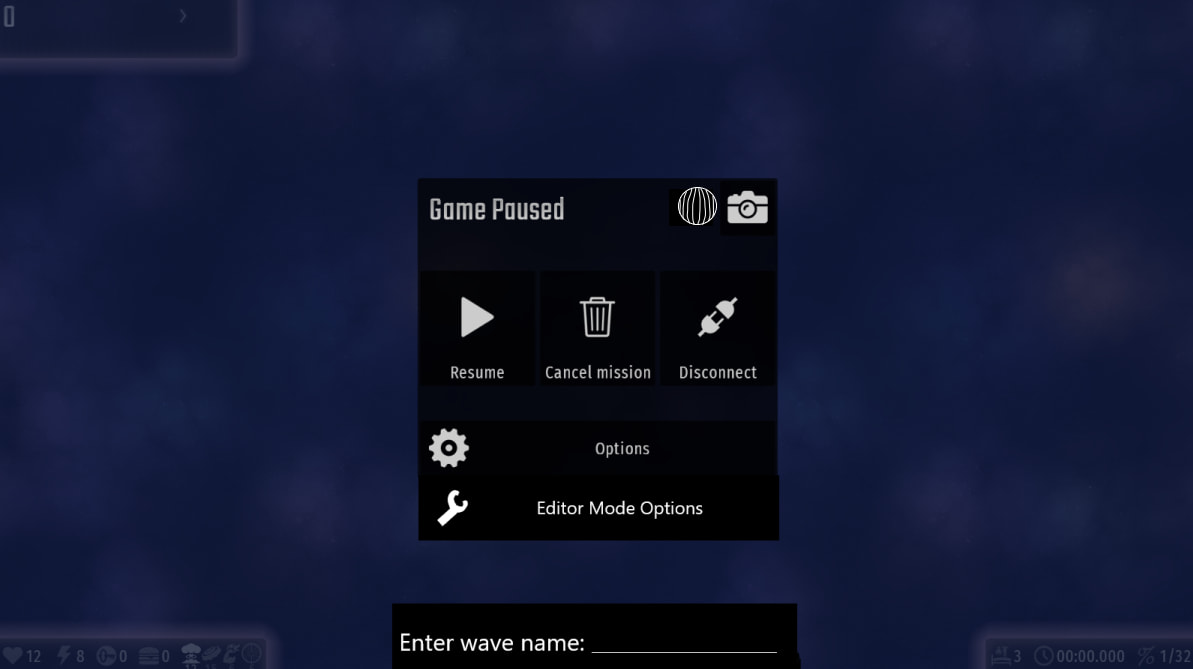
After you click on the icon next to the camera this pop-up will be presented to you (Max characters 25):
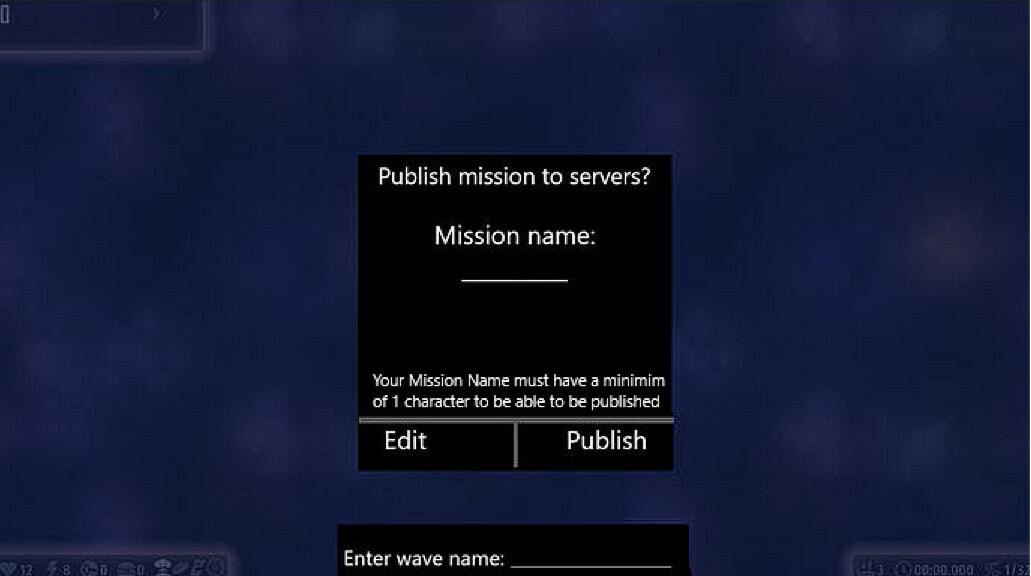
And then in multiplayer there will be another option for you to click. Which will look like this

You will be able to save up to 20 custom missions without CHL, and up to 80 with CHL
When you click on “Custom Missions” you will be presented with the same way you see multiplayer games… but now you can go through pages of custom missions. And yes, you will be able to sort them with the same way you can sort multiplayer games
Ways of sorting:
-Recent
-Most played
-Most likes
-Difficulty
-Oldest
And so that concludes this topic folks
I’m honestly so tired. This one made me think 120% faster ngl. If you have questions ask me, I will try to answer them with the logic when I made this
Yours truly, AceInTheCards
Update log: Actually I wont be updating pictures, unless it’s needed, because I add something new in the explanations