NOTE: This is not about me begging iA to add CustomRPC (Discord’s Rich Presence) to the game! If you have no sanity left, read TL;DR in second post.
What is CustomRPC?
It is a feature that is built-in a game (or added through mods) that helps to know what is being done in a game (when seeing it through discord).
Let’s take an example of Minecraft.
This is what you will normally see when opening up the game:
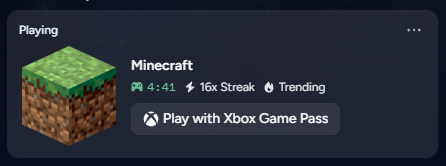
Pretty bare right? What could you be doing in there? Playing single player or multiplayer?
And so, if you use external tools I’m using Flarial Client’s RPC Module w/ Minecraft Bedrock
This is what you will see:
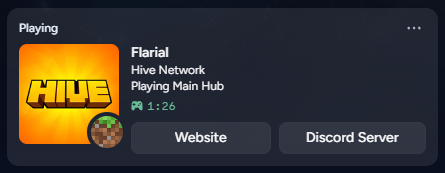
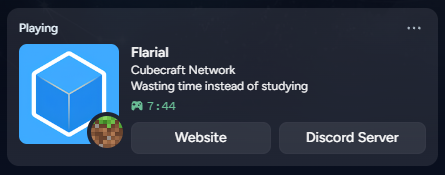
Now, you can see which server I’m playing on and what I’m doing in the server. One more thing that caught your eye, would most probably be the “Website” and “Discord Server” button which I will come to later.
But imagine, you can know which type of mission / ship / weapon a person is using or even if he / she is exploring the menus / galaxy, wouldn’t it be so cool(?)
So CustomRPC in CIU?
Well, not exactly.
I was going to ask iA for CustomRPC’s API for CIU before I stumbled upon this:
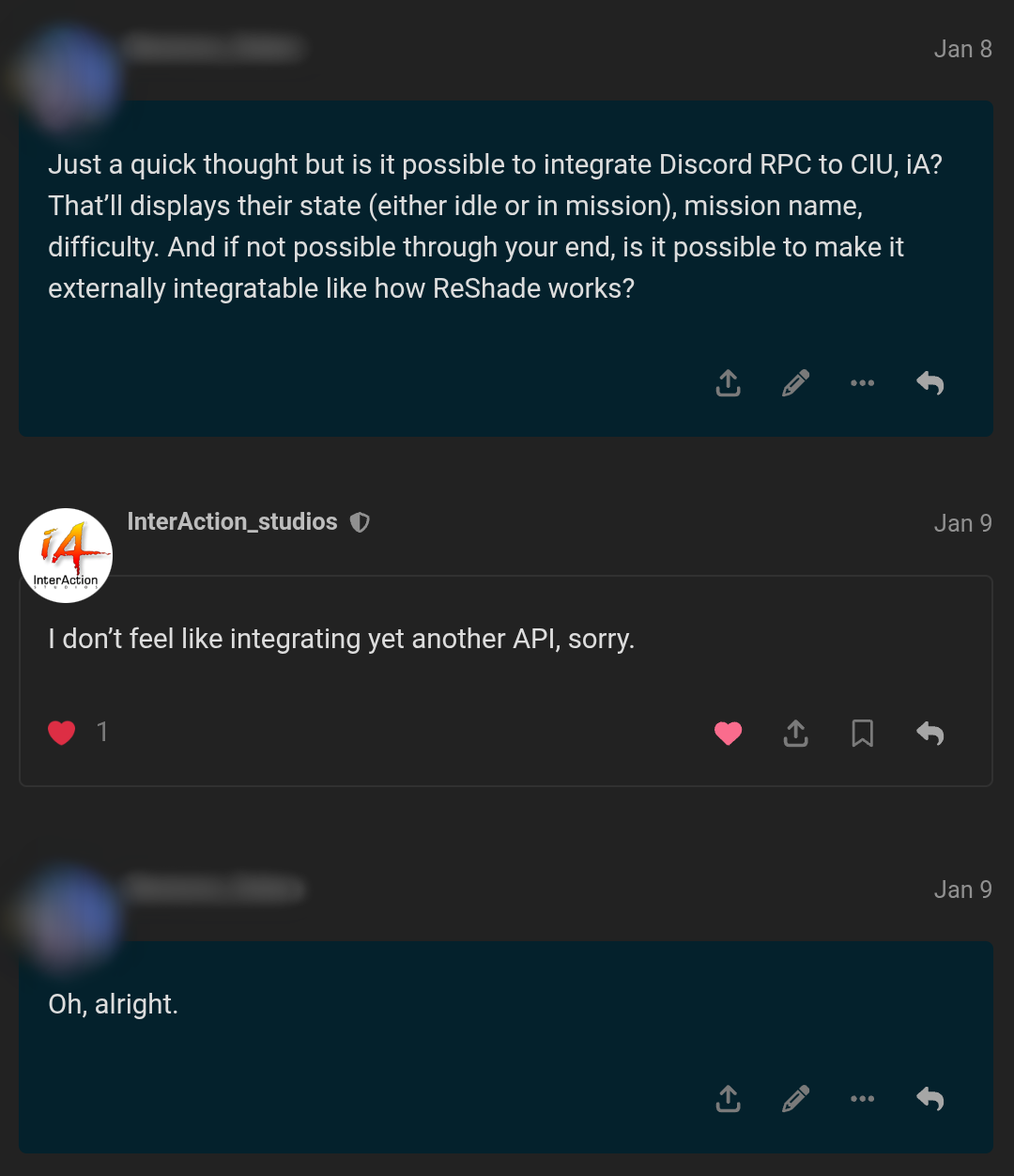
Thanks to ████ for sharing this!
This means that iA had already given his statement for adding yet another API in CIU, which is totally understandable because it probably isn’t worth the time for a solo indie developer.
Then, what’s the point of this topic?
Well, considering what iA said, we are not getting CustomRPC.
Other choice was making a mod / addon / module (as done for Minecraft) for Discord’s Rich Presence. But as you already know, we are not getting the source code or the game engine, ever!
So end of the topic?
No!
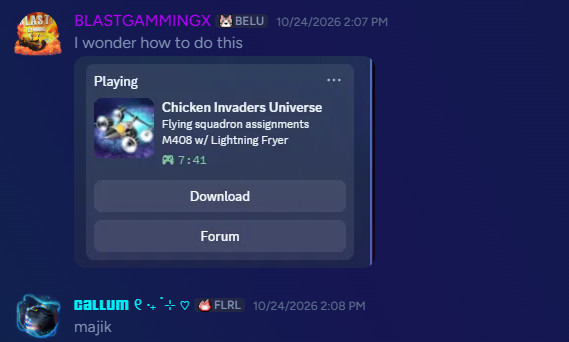
If you don’t know you can make some Custom Presence(s) on your own. Here are two examples of what I made:
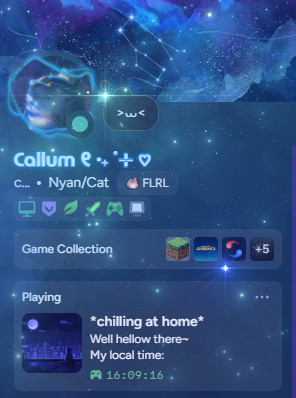
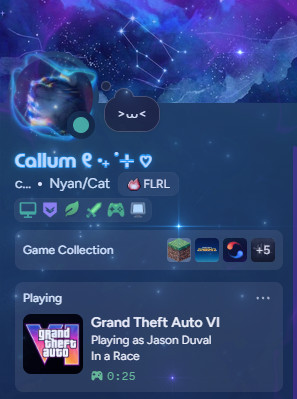
Definitely not flexing my profile :>
Now you would ask, “How did you do that :O” Ik you didn’t
This was possible with an app called “CustomRP”
“CustomRP”, what is it?
This is a “Custom Discord Rich Presence Manager” that sits in your system tray (just like Discord) and and manages your custom rich presence profiles. Using this you can make a vast varieties of RPCs to flex.
Erm.. this is “CIU Forum”
Wait, that’s my line!
Here is what I could make at most:
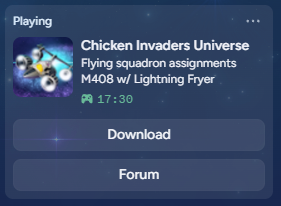
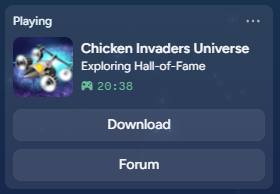
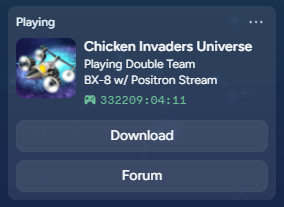
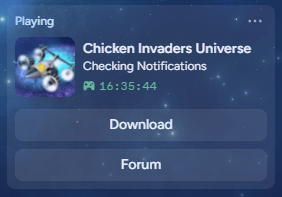
If you want it too, keep reading
How to use
Requirements: Desktop with Microslop’s Windows (7 and above)
First of all, download CustomRP from its website. Upon opening, you will see a very confusing screen like this:
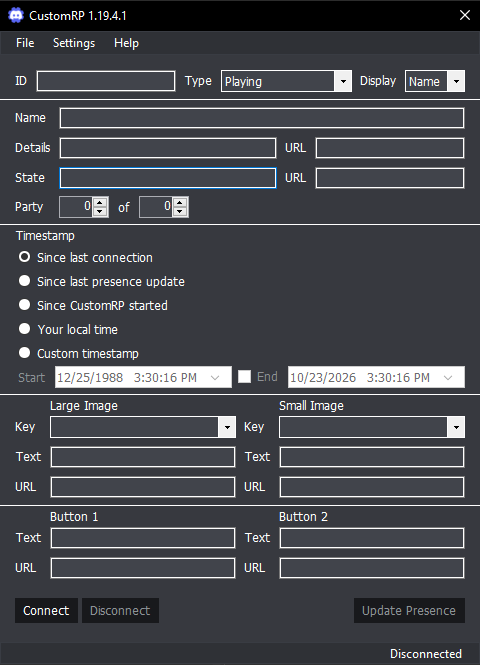
Ignore everything and click “File” then “Load Preset”. Download and select the Preset and boom! You are done! That’s it!
Enable CustomRP to automatically open up in system tray on startup and chill :3
Limitations
Ofcourse, had to have some because it’s not “built-in”. Here they are:
- It still shows when you are not playing CIU (tho you can click “Disconnect”)
- CustomRP cannot read internal game states so you manually type changes into the CustomRP window while alt-tabbed
Theres more but mainly these two
How to edit the Preset
So here is our raw CustomRP after you have completed all steps I have said before:
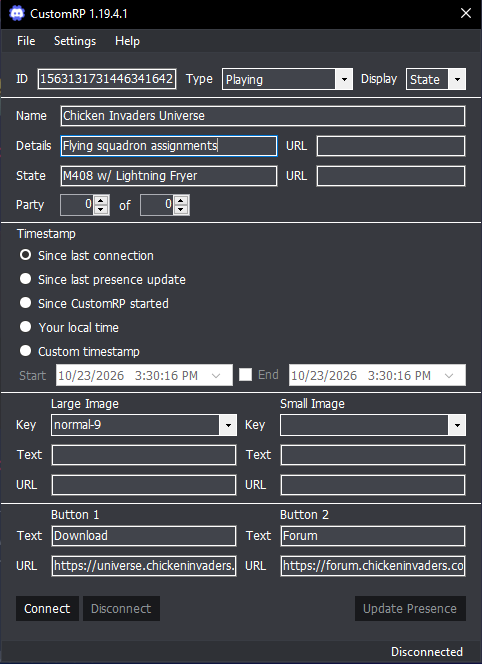
Time to explain everything, one-by-one. First of all, the main things you want to change:
- Details: The first line that comes under the name. Main detail goes here.
- State: Second line under name. Sub-detail comes here. Leave blank for, well, blank space.
- Party: To show you are playing multiplayer, type numbers in there (e.g. Party: 6 of 7).
- Timestamp: Choose what you like, generally “Since last connection”.
- Buttons: Remember “Download” and “Forum” buttons from before? Yep here they are, let them stay normal and remove if you want.
Useless things, but still need to be mentioned:
- ID: Links to my pre-configured Discord App so the game title and icons show up automatically so you don’t need to touch it.
- Type / Display: Don’t touch it, it shows whether you are ‘Playing’, ‘Watching’, etc.
- Name: Name of the game, also don’t touch this.
- URL of Details / State: Useless, don’t touch them.
- Large image / Small image: You know what I’m going to say, don’t touch it.
That’s the end of the topic. Thanks for reading! only if you did